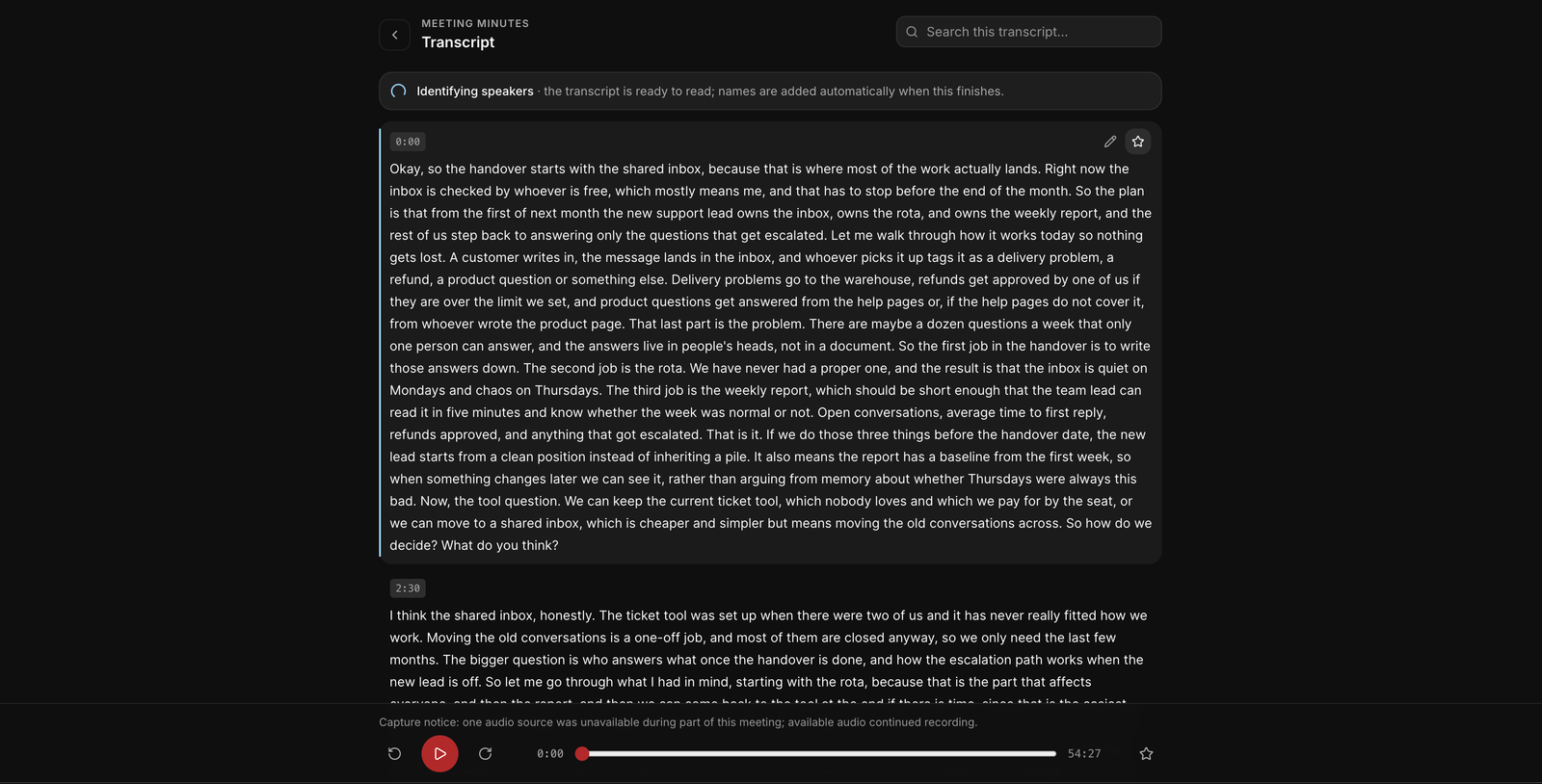
An AI summary of a meeting reads well even when it is wrong, which is exactly why it needs checking. The errors are rarely dramatic. They are a date that moved, a number that was rounded, or an action assigned to the wrong person. This guide is a short routine for catching them, and it works best with an AI meeting summary you can check point by point against the recording.
Where summaries go wrong
- Misheard words. Names, product names, acronyms and numbers are the most common transcription errors, and a summary repeats them confidently.
- Who said it. If the speakers are not identified correctly, a commitment can be attributed to the wrong person.
- Merged discussions. Two separate conversations about similar topics can be summarised as one.
- Inference stated as fact. “The team agreed” when two people agreed and the rest were silent.
- Missing audio. If part of the recording is missing, a summary can read as complete when it is not.
The five-minute check
- Read the decisions and actions first. They are what people will act on, so they are worth the most checking.
- Check every name, number and date. For each one, go to the moment it was said and listen. This is where most errors are.
- Check who owns each action. Listen to the moment someone took it on. If nobody clearly did, the action has no owner, whatever the summary says.
- Search for anything that seems missing. If you remember a topic that is not in the summary, search the transcript for a word from it.
- Look for gaps. A recording that lost part of its audio should say so. If a long stretch of the meeting produced very little in the summary, find out why.
If something is wrong, correct it at the source, in the transcript, rather than only in the summary, so anything built from it is corrected too.
How EchoPilot makes the check fast
The routine above takes an hour if you have to scrub through audio to find each moment. EchoPilot is built so it takes minutes.
- Every key point carries the moment it came from. Tap it and the recording plays from that sentence.
- The transcript is searchable, with match counts and next and previous stepping, and tapping any line plays it. The follow-along highlight tracks the audio as it plays; it is a reading aid rather than subtitle-grade timing.
- Gaps are marked, not hidden. If audio is missing, the transcript says which minutes are unavailable instead of joining the pieces together.
- Speakers are honest. On supported Pro meetings, timestamped speaker turns can be renamed or merged. When reliable attribution is not available, the transcript is shown without names and says so, rather than guessing.
- Corrections keep the evidence. Fix a misheard line and the original audio and text stay underneath. Minutes built from the old wording are marked out of date, so you can see what your correction affects and rebuild when you choose.
- Ask cites its sources. Ask a question about the meeting and the answer cites the moments it used, so you can play them before you rely on the answer. Ask is read-only: it never changes the minutes.
When to trust a summary without checking
For an internal update nobody will act on, a quick read is enough. Check properly whenever the summary is going to someone outside the meeting, contains a number or a date someone will plan around, or assigns work to a person. Those are the three cases where a small error becomes someone else’s problem.