A meeting recorder that does not lose the meeting.
Four hours, in the background, with the screen locked, written to disk as it goes and uploaded when there is signal. On the phone in the room or the computer taking the call.
- Written to disk as it runs
- Background, screen locked
- Resumes after interruption
Never loses the meeting
Audio is committed in segments throughout, not assembled at the end. A crash costs seconds.
Keeps going
Switch apps, lock the screen, take a call. The recording continues and can resume.
In the room or on the call
A phone on the table, or the Mac and Windows app capturing both sides of a call.
Recoverable deletion
Deleted recordings sit in a bin for 30 days with audio and cards intact.
What it looks like
-
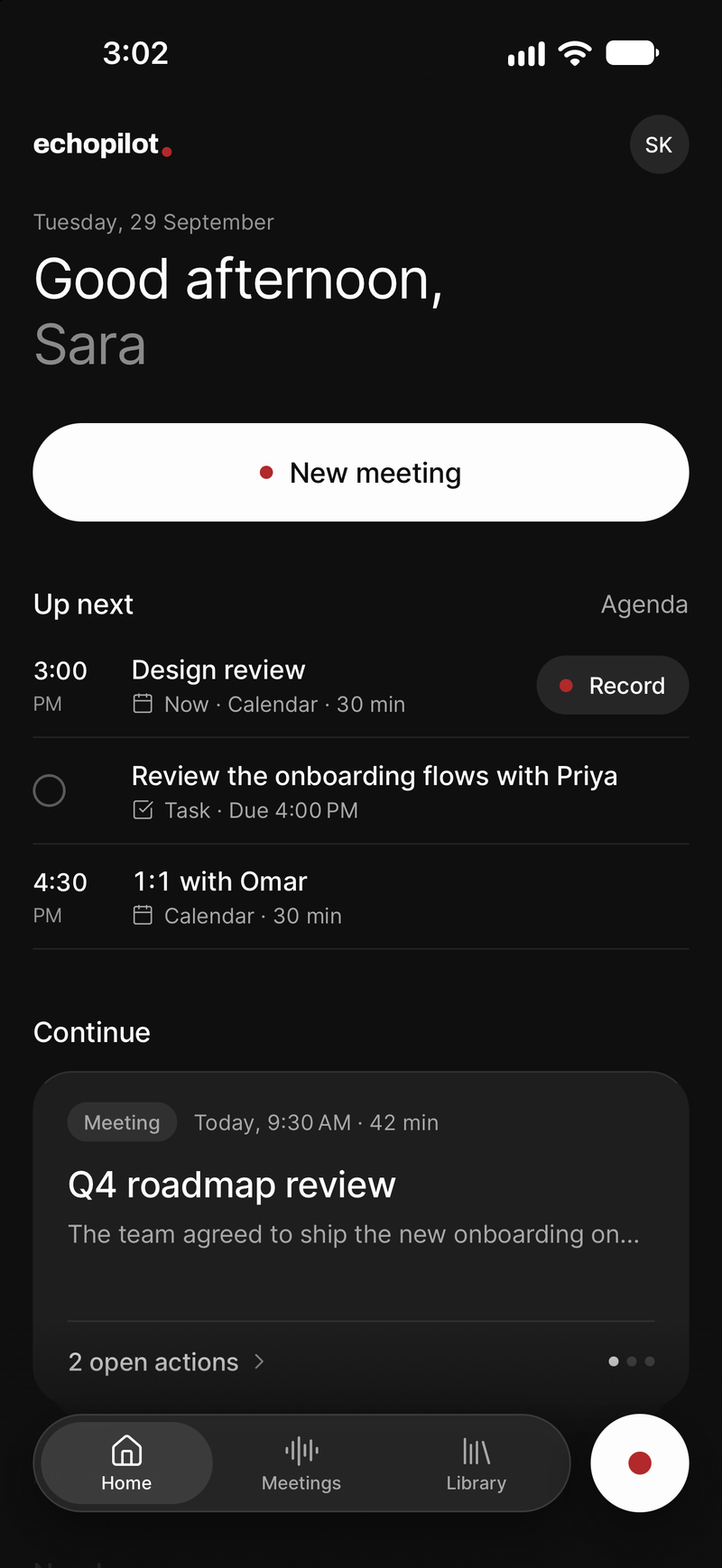
One tap to record, on the phone in the room
-
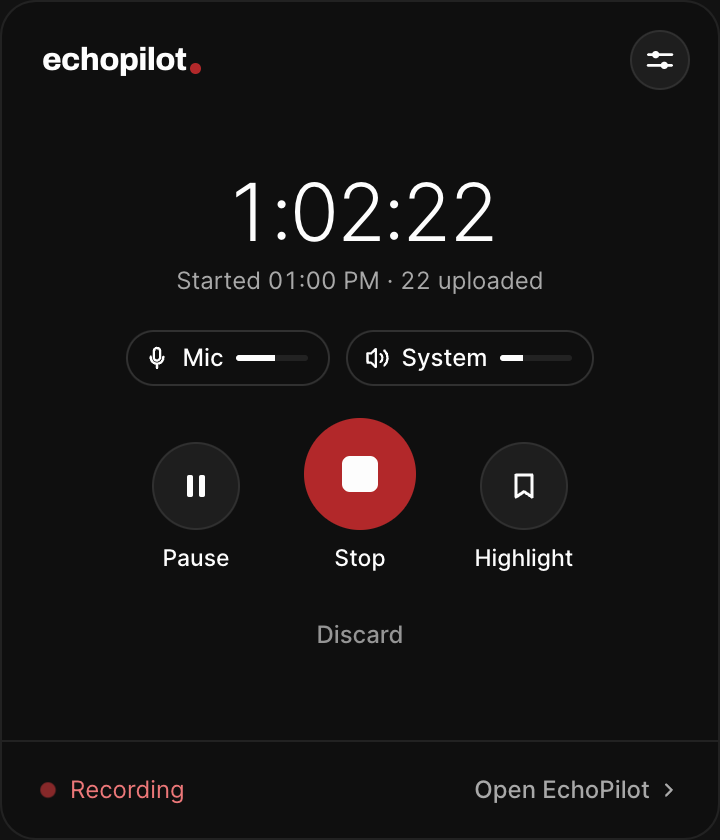
The Mac and Windows panel, saving as it goes
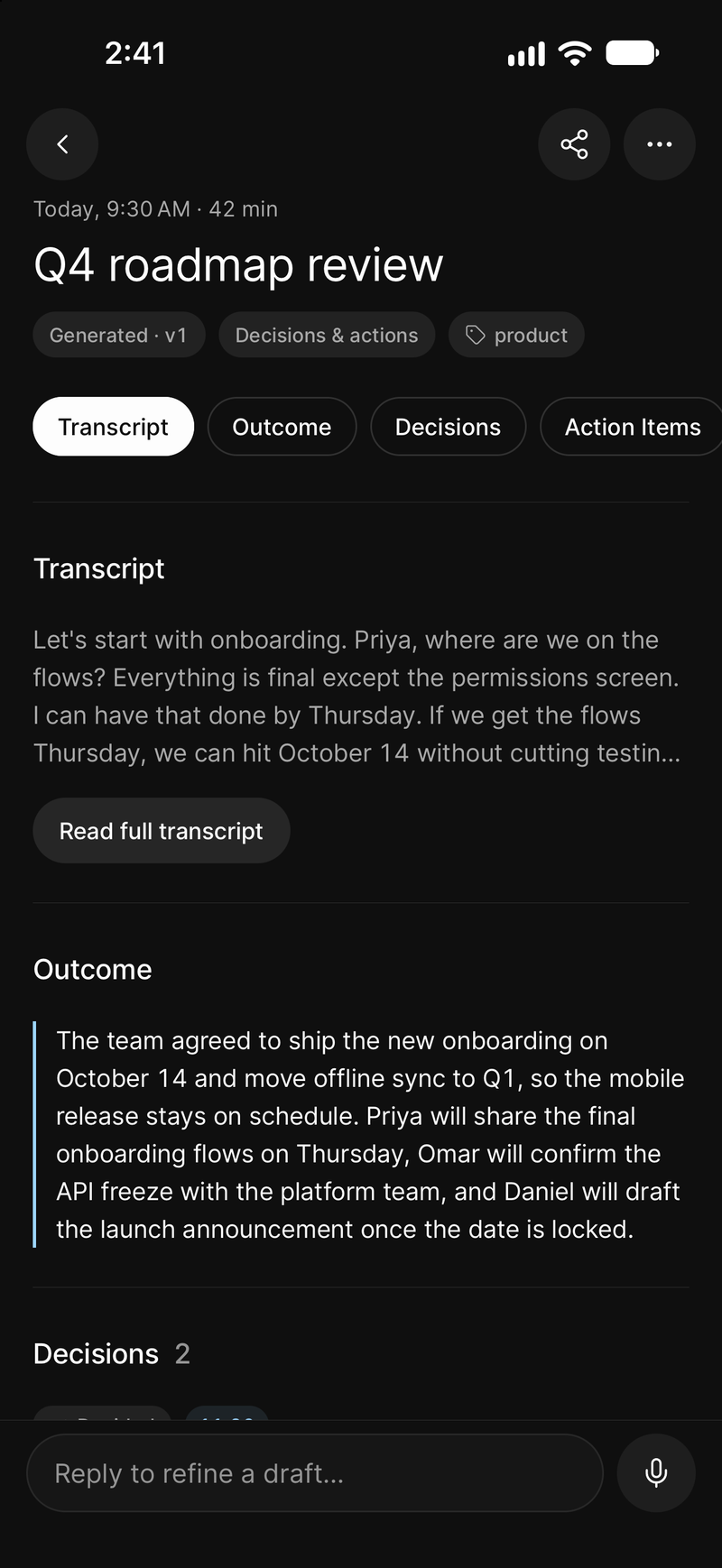
Then the minutes, when you stop
Meeting recorder, in depth.
Anyone who has recorded an important meeting has had the same thought at the ninety-minute mark: is this actually still recording. Recording apps fail in dull, expensive ways. The screen locks and capture stops. A call comes in. The app is backgrounded and the system kills it. The file is written at the end, so a crash means there was never a file at all.
EchoPilot is a meeting recorder app and transcriber in one, and this page is about the reliability, because the intelligence on top is worthless if the audio is not there.
What EchoPilot does about it
It writes as it goes. Audio is committed to disk in segments throughout the recording, not assembled at the end. If the app dies at three hours and fifty minutes, you have three hours and fifty minutes, not nothing.
It keeps going in the background. Switch apps, lock the screen, put the phone face down. The recording continues.
It survives interruptions. A phone call or a system interruption does not end the session. An interrupted recording can be resumed rather than restarted.
It records without a connection. Once you have signed in, the phone opens and records with no connection at all, and a whole meeting can be recorded offline. It uploads itself when you are back online, and nothing is processed until it has.
A meeting recorded in pieces becomes one. If the room changed, the call dropped or you stopped by mistake, choose the two to six recordings that were one meeting and merge them: one set of minutes in order, one transcript, one set of cards, with each part’s audio kept underneath.
It runs to four hours on Pro, and an hour on Free. That is the ceiling on a single meeting. A meeting spends meeting minutes and nothing else, so a long workshop never also eats into your voice-note allowance.
In the room or on the call
On a phone, put it on the table. It records the room, on iPhone and on Android alike.
On a Mac or Windows machine, the desktop app records your microphone and the meeting audio your computer is playing, so remote participants are captured at source rather than through a laptop speaker. Nothing joins the call and there is no bot to invite, in Zoom, Microsoft Teams, Google Meet or any other app.
An Apple Watch can start a capture from your wrist for the conversation you would not have got your phone out for.
Then it is more than a recording
The recording is the foundation of an AI meeting assistant, not the product. What comes back is Meeting Minutes with a summary, timestamped notes, key points and action items, a transcript you can search and play from any line, questions you can ask about what was said, and action cards for every commitment, which create nothing until you approve them.
And if you delete one
Deleting a recording moves it to a bin for 30 days with its audio and cards intact, and Restore puts it back unchanged. While it is binned it is unreachable from search, Ask and exports. Accidental deletion is a recoverable mistake rather than a permanent one.
What you need
An iPhone, Android phone, Mac or Windows PC. No extra hardware, no recorder to buy, no bot to invite. What four-hour capture and desktop recording cost today is on the pricing page, which is built from the app’s own limits.
Guides
- GuideHow to record a meeting without internet, and still get the notesA basement office, a plane, a building site, a hospital corridor. How to record a meeting with no internet on your phone, what happens to the audio while you are offline, and when the transcript and the minutes get written.
- GuideMeeting recording consent: what to know before you press recordWhen you need permission to record a meeting, how the rules differ between countries and US states, and the simple habit that keeps you on the right side of all of them. General guidance with sources, not legal advice.
- GuideHow EchoPilot records a four-hour meeting without losing itA recording that is written to disk in 150-second segments, a queue that survives having no signal, gaps that are marked instead of hidden, and processing that picks up where it stopped. How the recorder is built, and why.
Questions worth answering.
How long can a meeting recording be?
What happens if I lose signal during a meeting?
What if a meeting was recorded in pieces?
Can I record a meeting on my Mac or Windows PC?
If I delete a recording, can I get it back?
Does a bot join my meeting?
Your next meeting can end with the work already drafted.
Install EchoPilot on the phone or the computer you already work on, record the next conversation you would otherwise try to remember, and read the minutes, the transcript and the drafted actions it gives you back.
Questions? support@echopilotapp.com