Record the meeting in the room it happens in.
Put your phone on the table and talk. EchoPilot keeps recording with the screen locked, then writes the minutes, a transcript you can check and a card for every commitment.
- No laptop, link or bot
- Records with the screen locked
- Speaker turns you can rename
The phone is the recorder
Put it in the middle of the table and record. It keeps going in the background, with the screen locked.
Interruptions do not cost the meeting
Audio is written to disk as it goes. A phone call pauses the recording and marks the gap; a crash costs seconds.
Who said what
On supported Pro meetings, timestamped speaker turns you can rename. Otherwise the transcript says it is unattributed.
The conversation after
The decision made on the way out, captured from an Apple Watch and turned into tasks on your phone.
What it looks like
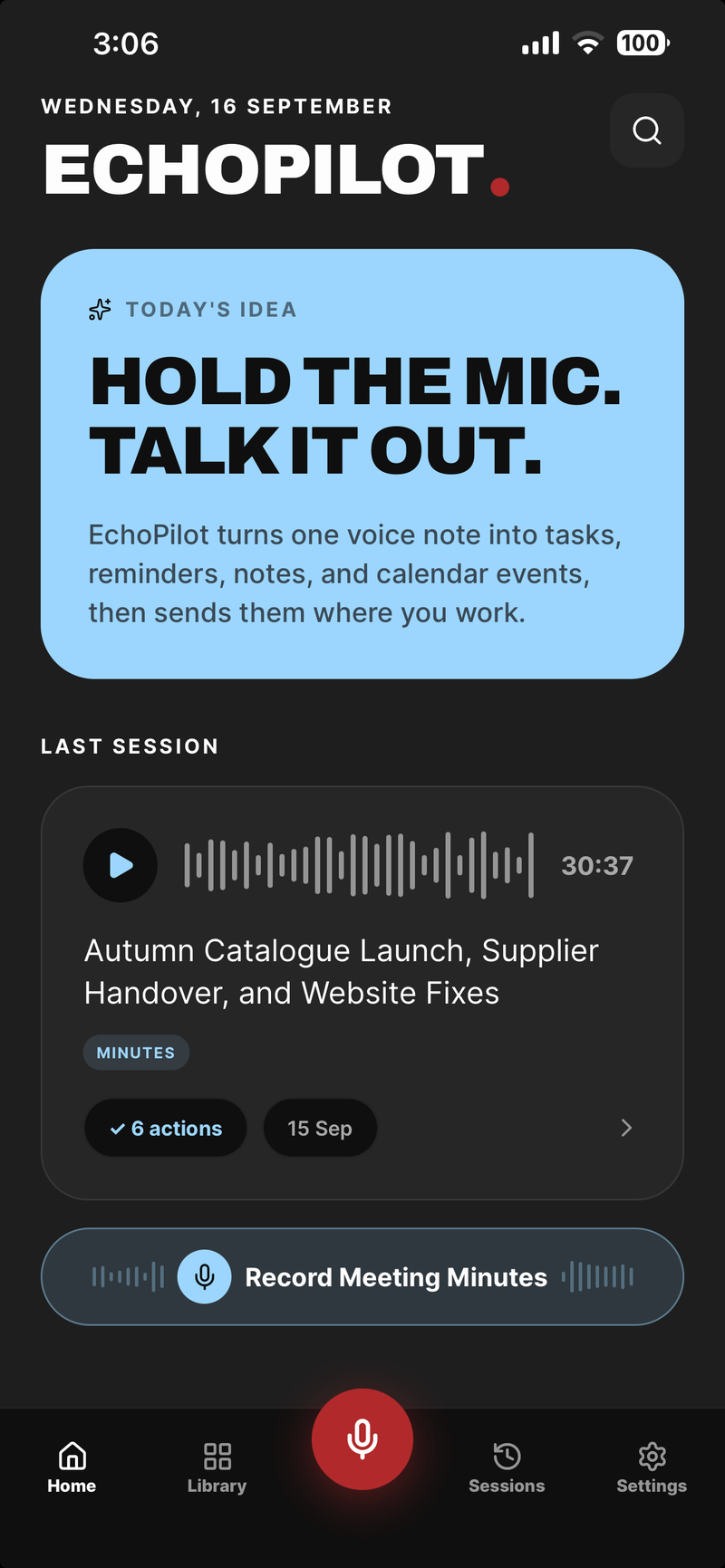
One tap to record, then put the phone down
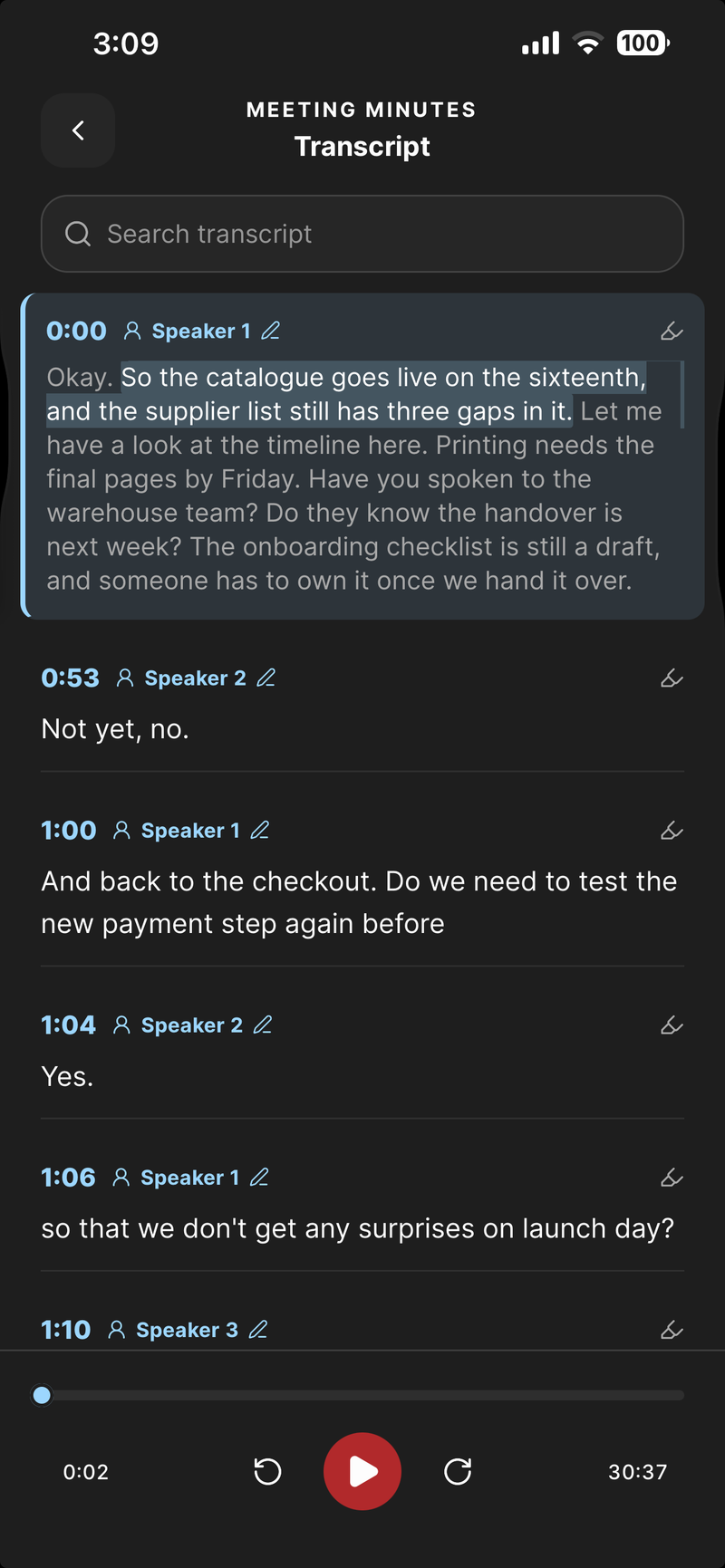
Timestamped speaker turns, on supported Pro meetings
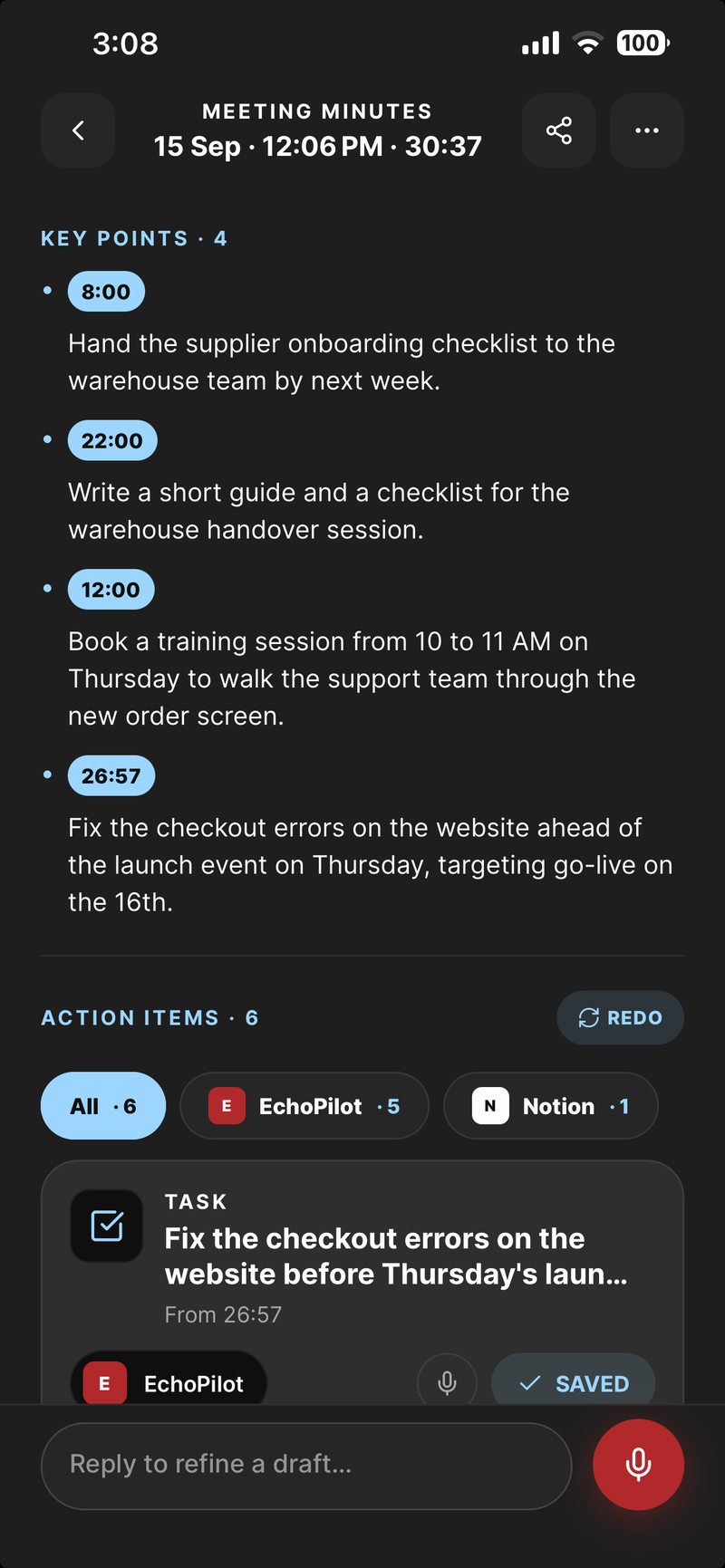
Key points, each tied to the moment it was said
In-person meetings, in depth.
Most meetings never get a link. They happen around a table: a project review, a site visit, a board meeting, a planning session where nobody opened a laptop. A notetaker bot cannot attend any of them, and a laptop left open in the middle of the table changes the meeting it is recording. The phone already in your pocket can record the room without either, and it is the part of the AI meeting assistant built for exactly this.
Put the phone on the table
Open EchoPilot, tap Record Meeting Minutes, and put the phone down in the middle of the table. It keeps recording in the background and with the screen locked, so you can stop thinking about it and join the conversation. A Pro recording runs up to four hours, and a Free one up to an hour.
You never have to unlock the phone to check that it is still going. On iPhone the recording sits on the Lock Screen and in the Dynamic Island, with pause and stop; on Android a persistent notification carries the same controls.
When the room gets interrupted
Audio is written to disk in segments as the meeting runs, not assembled at the end. If a phone call comes in, the recording pauses for it and the gap is marked, so the minutes never pretend the call did not happen. If the app crashes or the battery dies, you lose seconds rather than the meeting, and an interrupted recording can be resumed.
The room does not need signal either. A whole meeting can be recorded with no connection at all; it stays on the phone until it is uploaded, and the minutes are written when you are back online. The meeting recorder page goes through each of those cases.
Who said what
A room has more than one voice. On supported Pro meetings, ask EchoPilot to identify the speakers and the transcript comes back as timestamped turns. Rename a speaker for this meeting only, or add them to People so you can later narrow Ask to the meetings they spoke in, and merge two labels that turned out to be the same person.
When reliable attribution is not available, EchoPilot shows the full transcript without names and says so, rather than guessing who spoke.
Mark the moment as it happens
When something important is said, press the highlight button on the recording screen. The moment is marked on the recording’s clock, and it arrives in the finished minutes as a jump straight to that point, so the decision you noticed at minute forty is one tap away afterwards.
What you walk out with
When you stop, the meeting is transcribed and written up: Meeting Minutes with a title taken from the content, a summary, chaptered timestamped notes, key points tied to the moment they came from, your highlights and the full transcript. Tap any point and the recording plays from the sentence that produced it.
Every commitment made across the table becomes an action card with a destination already chosen, waiting for your approval. Nothing is created in Todoist, a calendar or anywhere else until you confirm it. And a week later, Ask answers what was decided in the room, with the moment cited.
Say you are recording
Tell the room at the start that the meeting is being recorded. The rules on recording a conversation differ from place to place, and many require everyone’s agreement. With the phone in the middle of the table, everyone can see it, and the moment you said it is in the transcript with its timestamp.
The conversation after the meeting
The real decision is often made in the corridor. An Apple Watch captures it from your wrist in one tap; the iPhone transcribes it and drafts the tasks and reminders it contains, like anything else you record.
If the people across the table are clients, or you are the one asking the questions, the client meetings and interviews pages go further.
Guides
Questions worth answering.
How long can a meeting recording be?
What happens if I lose signal during a meeting?
Does EchoPilot label who said what?
Does a bot join my meeting?
Your next meeting can end with the work already drafted.
Install EchoPilot on the phone or the computer you already work on, record the next conversation you would otherwise try to remember, and read the minutes, the transcript and the drafted actions it gives you back.
Questions? support@echopilotapp.com