Client meeting notes, and the follow-up already drafted.
Record the meeting on your phone or your own computer, with nothing joining the client's call. When you stop, the minutes are written and every commitment is a card, the task, the next meeting, the follow-up email, each waiting for your approval.
- No bot in the client’s call
- Every follow-up drafted, nothing sent
- Minutes you can export as a PDF
Nothing joins their call
The Mac and Windows apps record on your own machine. In the client’s office, the phone on the table does.
Every promise, drafted
Tasks, calendar events, messages and follow-up emails, each a card with a destination. Nothing goes until you approve it.
Every meeting with this client
Tag meetings by client or group a recurring series, then ask across them. Each answer cites the moment.
Minutes you can send
Edit the summary with every version kept, then export a typeset PDF of the summary and notes.
What it looks like
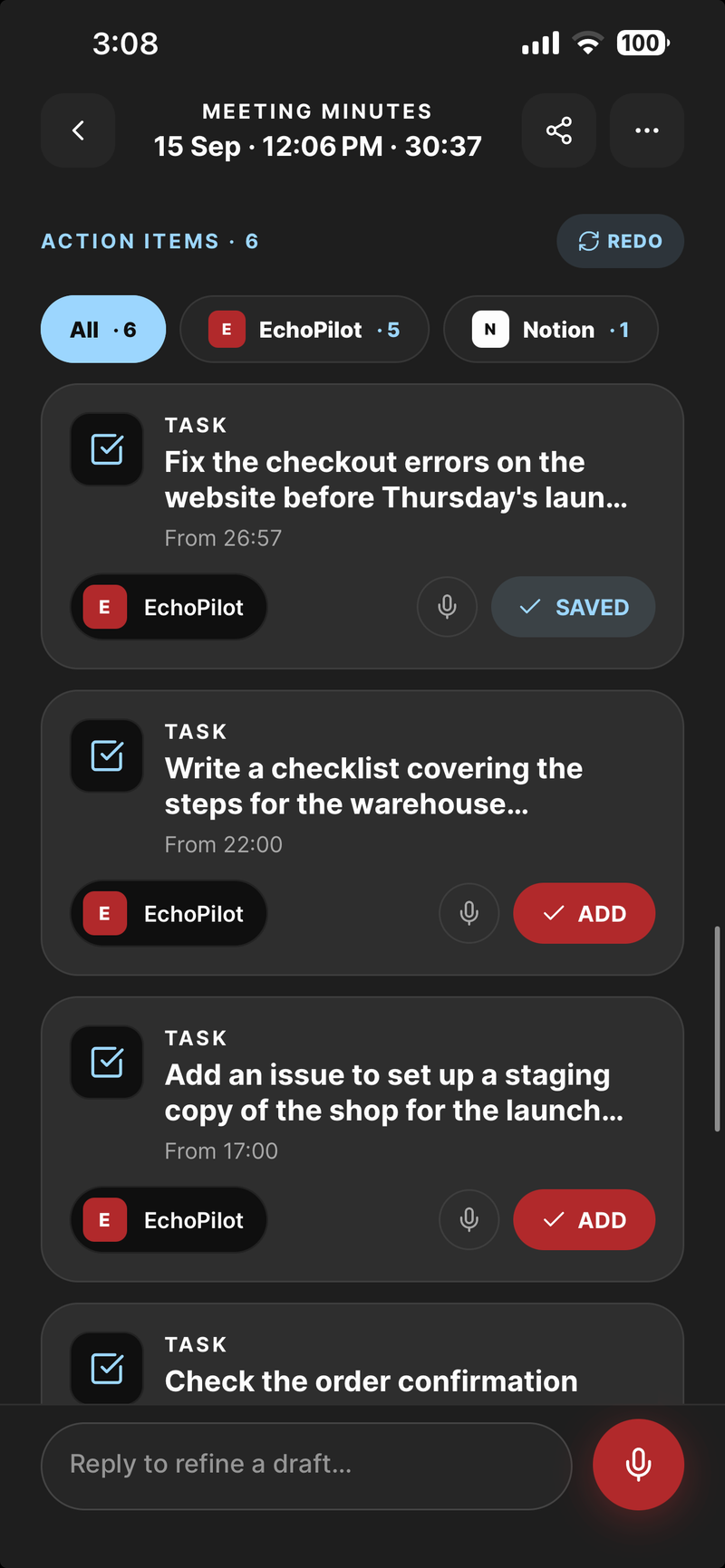
One card per commitment, waiting for approval
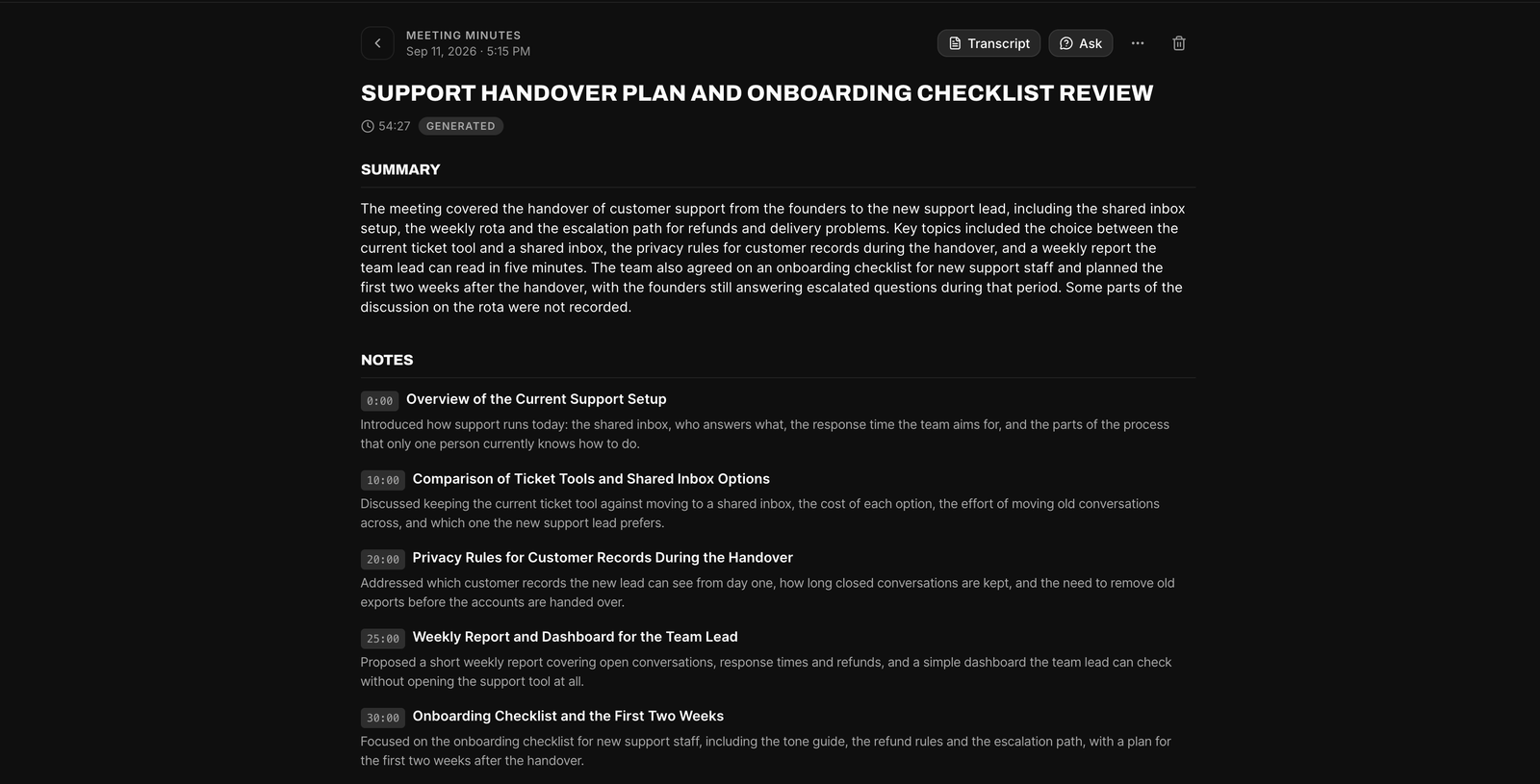
The minutes on the web, ready to edit and export
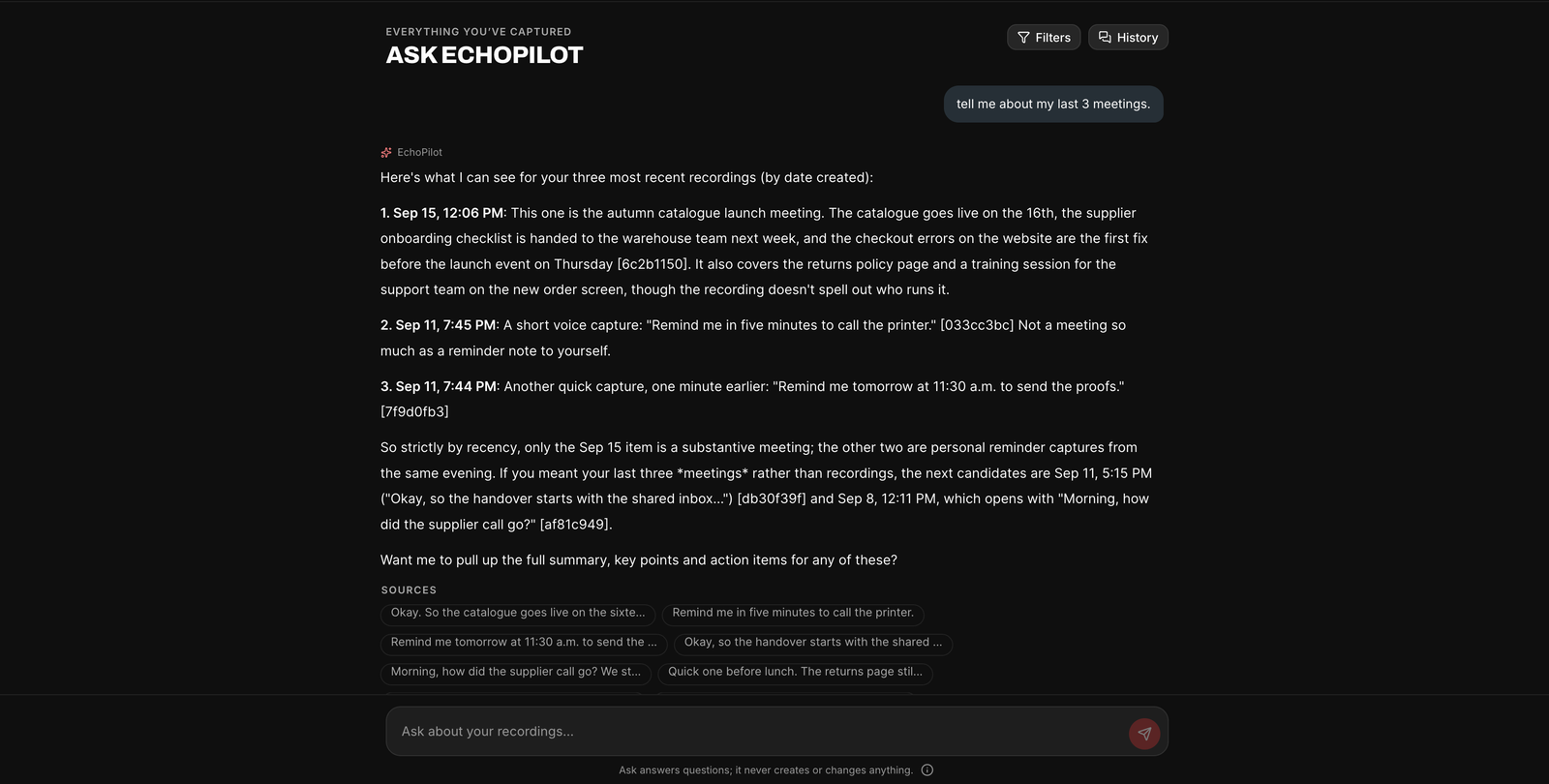
Ask across your meetings, with the sources listed
Client meetings, in depth.
A client meeting leaves two jobs behind it: remembering exactly what was agreed, and doing what you said you would. The first goes wrong when notes are typed in a hurry while you are also trying to listen. The second goes wrong when the follow-up waits until the end of a day of back-to-back calls. EchoPilot does the first for you and drafts the second, so what you promised is on its way before it can slip.
Nothing joins the client’s call
On a video call, the Mac and Windows apps record your microphone and the audio your computer is playing, so the client is captured at source. Nothing joins their meeting and there is no bot to invite. In their office, the phone on the table records the room.
No bot is not the same as no notice. Tell the client at the start that you are recording and what the recording is for. The rules on recording conversations differ by country and state, and many require everyone’s agreement.
Every commitment, drafted
“We will send the revised proposal by Friday.” “Let us meet again once legal has read it.” “Can you share the numbers with our finance team?” Every commitment in the meeting becomes a card with a destination already chosen: a task in Todoist, Google Tasks, Microsoft To Do or Notion; an event in Google or Outlook Calendar; a message to your own team in Slack or Teams; or the follow-up email, drafted in full.
You read the card, change the destination if the guess was wrong, and approve it. Nothing is created, scheduled or sent before that, and there is no setting that turns the review off, because a client email that went out on its own is the one mistake you cannot take back. The meeting actions page shows a card for every destination, and integrations lists them all.
Every meeting with this client, in one place
Tag each meeting with the client’s name, or group a recurring meeting into a series. Then Ask across exactly those meetings: what did they say about the timeline, what have we promised them this quarter, when did the scope change. Every answer cites the moment it came from, so you can play the client’s own words before you rely on them, and Ask is read-only, so a question never changes anything.
Add the client’s company, product and people names to your custom vocabulary, and the transcript has a better chance of spelling them the way the client does.
Minutes you can send
The Meeting Minutes are yours to edit before anyone else sees them. Change the summary, the notes or the key points by hand; every save is kept as a version, and the generated original can always be restored.
Export asks what you want before it builds anything: the summary and notes on their own, the transcript on its own, or the whole meeting, as a typeset PDF, Markdown or plain text, with a preview before you share it. On Pro, the minutes translate on request for a client who works in another language: 32 languages, of which English, Arabic, Urdu and Hindi are verified end to end and the rest are offered as best effort, labelled that way in the app.
For a team
When more than one person meets the same clients, a Company plan gives everyone Pro and a shared workspace for the meetings they choose to share, with roles that decide who can open them, invitations and an audit log. Company plans are set up with our team rather than bought online; the details are on the pricing page.
Guides
Questions worth answering.
Does a bot join my meeting?
Does EchoPilot create tasks automatically?
Which apps can EchoPilot send actions to?
Do you offer plans for companies?
Your next meeting can end with the work already drafted.
Install EchoPilot on the phone or the computer you already work on, record the next conversation you would otherwise try to remember, and read the minutes, the transcript and the drafted actions it gives you back.
Questions? support@echopilotapp.com