AI meeting notes that go somewhere.
Record the meeting instead of typing through it. Get notes with timestamps, key points and decisions, and the follow-ups already drafted and waiting for your approval.
- Notes with timestamps
- Decisions and key points
- Follow-ups drafted
Notes you did not type
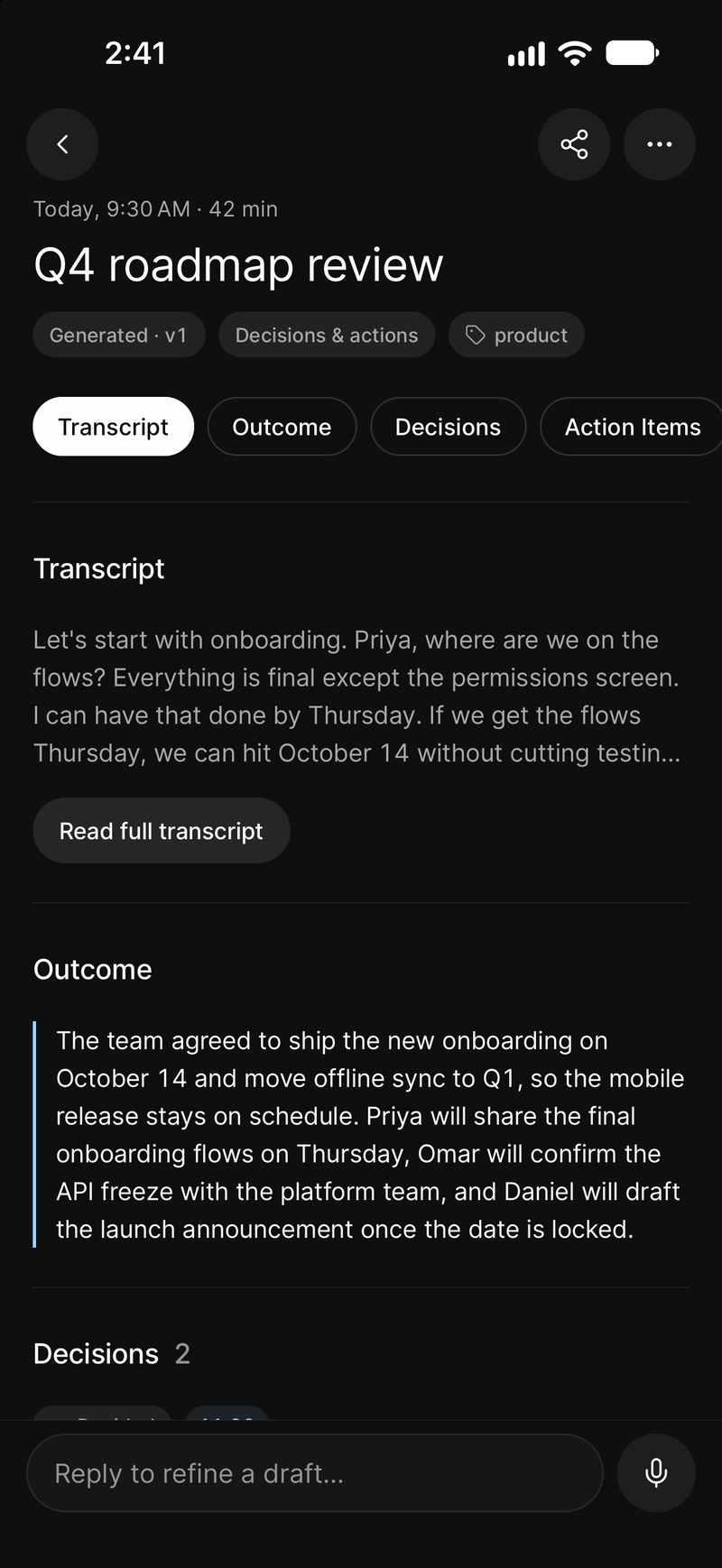
Summary, chaptered notes and key points, each anchored to the moment it was said.
Notes you can check
Tap any point and hear the sentence. Notes you trust because you can verify them.
Notes that go somewhere
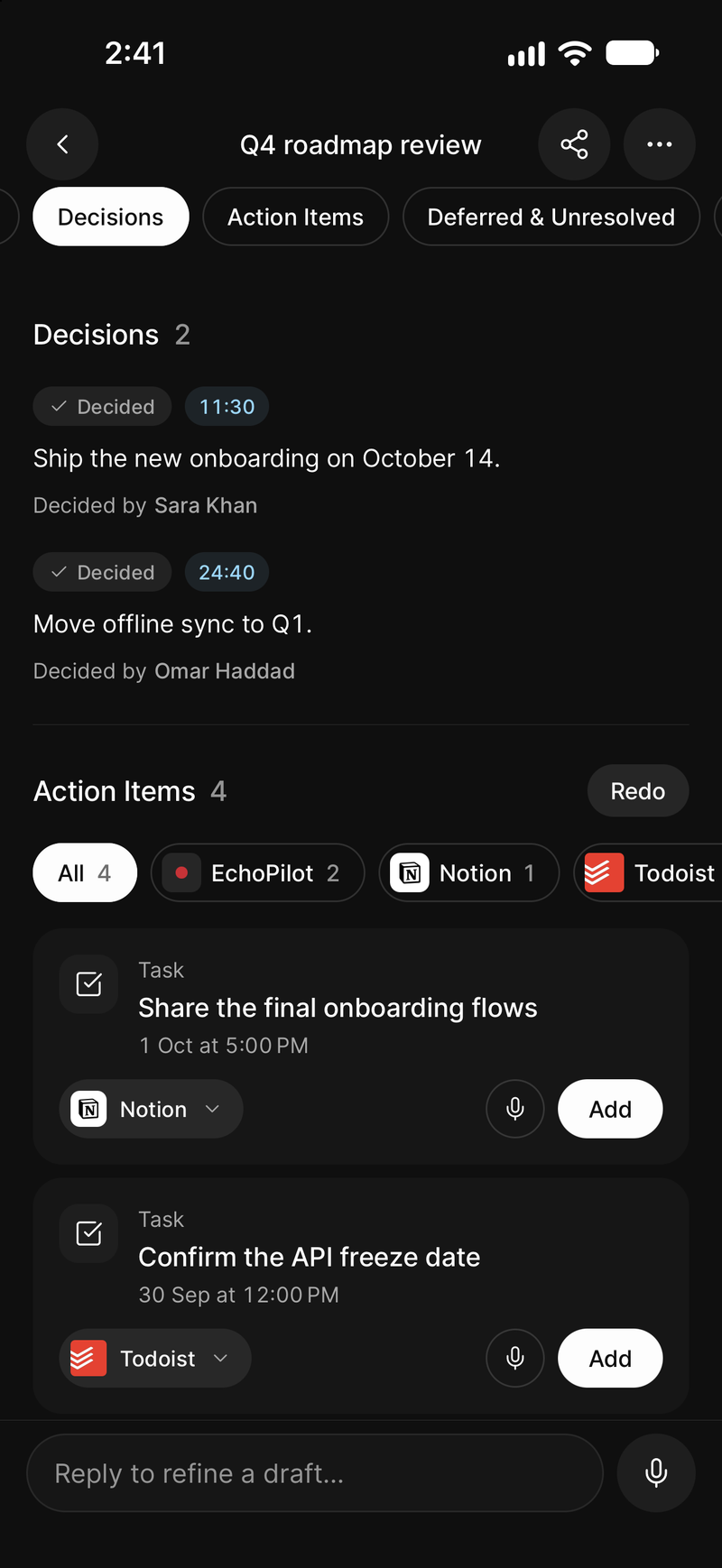
Commitments become cards with a destination chosen, waiting for your approval.
For meetings that are not calls
In a room, on a phone, in a corridor. A bot cannot attend those; your phone can.
What it looks like
-
The notes, the moment the meeting ends
-
Decisions and owners, then the follow-ups
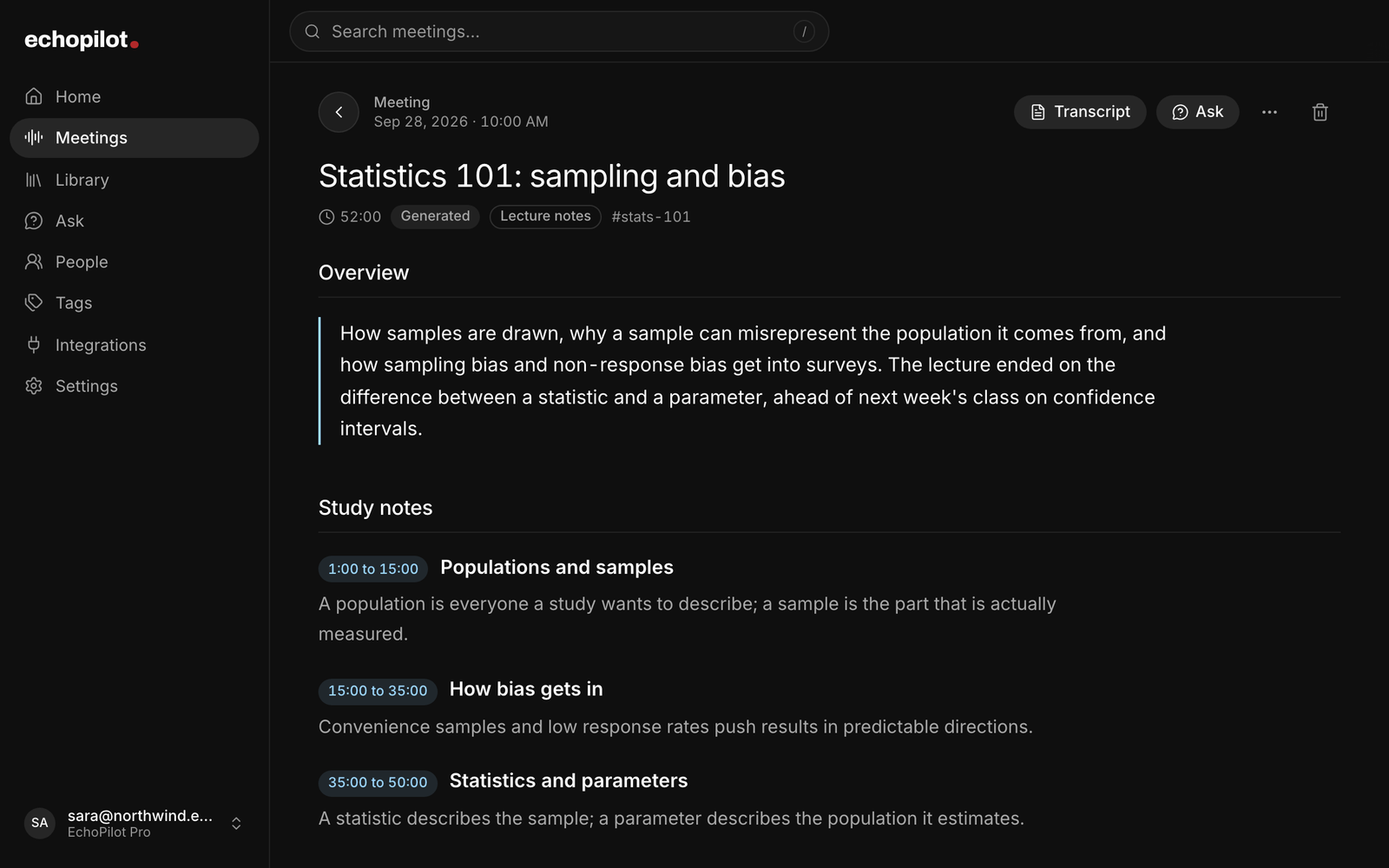
Notes by topic, each with its time range
AI meeting notes, in depth.
Taking notes in a meeting means choosing, in real time, between listening properly and recording what was said. Most people do both badly. The notes end up as fragments that made sense at the time, and the actual decisions live in someone’s memory until they do not.
AI meeting notes solve the first half of that. EchoPilot is an AI meeting assistant built around the second half being the part that matters.
What you get instead of typing
Record the meeting on your phone, or on your Mac or PC if it is a call. When it ends you get:
- a title taken from the content, so you can find the meeting by what it was about;
- a summary of what happened;
- timestamped notes, chaptered, so the meeting can be read in order;
- key points, each anchored to the moment it was said;
- action items, the commitments people actually made;
- the full transcript, searchable, with tap-to-play audio on every line.
Everything is anchored to the recording. If a note looks wrong, tap it and hear the sentence that produced it. That is the difference between notes you have to trust and notes you can check. The full document, with the transcript underneath it, is described on the Meeting Minutes page.
How to take meeting notes automatically
Three steps, and only the last one needs you.
- Record. Press record on the phone in the room, or accept the prompt from the desktop app when a call starts. Up to four hours, in the background, with the screen locked. No bot joins, and nothing has to be invited.
- Read the notes. When the recording ends, the title, summary, chaptered notes, key points and action items are written for you, each tied to the moment in the audio it came from. Search the transcript, or ask the meeting a question instead of rereading it.
- Approve the follow-ups. Every commitment is already a card with a destination. You confirm each one, and only then does it reach your task app.
The part that usually fails
Every meeting produces work, and the gap between “we agreed I would send that” and it being in someone’s task list is where most of it dies.
EchoPilot drafts an action card for each commitment, with a destination already chosen: Todoist, Google Tasks, Microsoft To Do, Apple Reminders, a calendar, Notion, Slack, a draft email. You read the card, correct the destination if the guess was wrong, and confirm. Nothing is sent anywhere until you do.
So the notes are not the deliverable. The tasks are, and the notes are what proves them.
Notes for meetings that are not calls
A notetaker that works by joining a video call covers one kind of meeting and nothing else. Conversations in rooms, phone calls, site visits, client lunches: a bot cannot attend any of them.
EchoPilot records with the phone in your pocket, so an in-person conversation gets the same notes as a video call, with no bot and no extra device. The meeting recorder page covers what happens when a call, a crash or a flat battery interrupts one.
Getting started
Free includes a real allowance of meeting minutes every month, the complete notes, the searchable transcript and action cards, plus a monthly allowance of short AI voice captures. Pro adds more minutes, meetings up to four hours, speaker turns, translation, rebuilds, and unlimited Ask and voice captures subject to fair use. Current allowances and prices are on the pricing page, which is built from the app’s reviewed plan snapshot.
Guides
- GuideHow to turn meeting notes into tasks, without creating work nobody agreed toEvery meeting produces more suggestions than commitments. What counts as a task, how to give each one an owner, a date and a home, and how to let a tool do the tedious part without it creating work that nobody in the meeting actually agreed to.
- GuideOne-on-one meeting notes: what to write down and how to keep them usefulWhat belongs in one-on-one notes, what does not, how to keep them private, and how to make each one-on-one build on the last one instead of starting from nothing.
Questions worth answering.
What is in a set of EchoPilot meeting minutes?
Does EchoPilot create tasks automatically?
Does a bot join my meeting?
Your next meeting can end with the work already drafted.
Install EchoPilot on the phone or the computer you already work on, record the next conversation you would otherwise try to remember, and read the minutes, the transcript and the drafted actions it gives you back.
Questions? support@echopilotapp.com