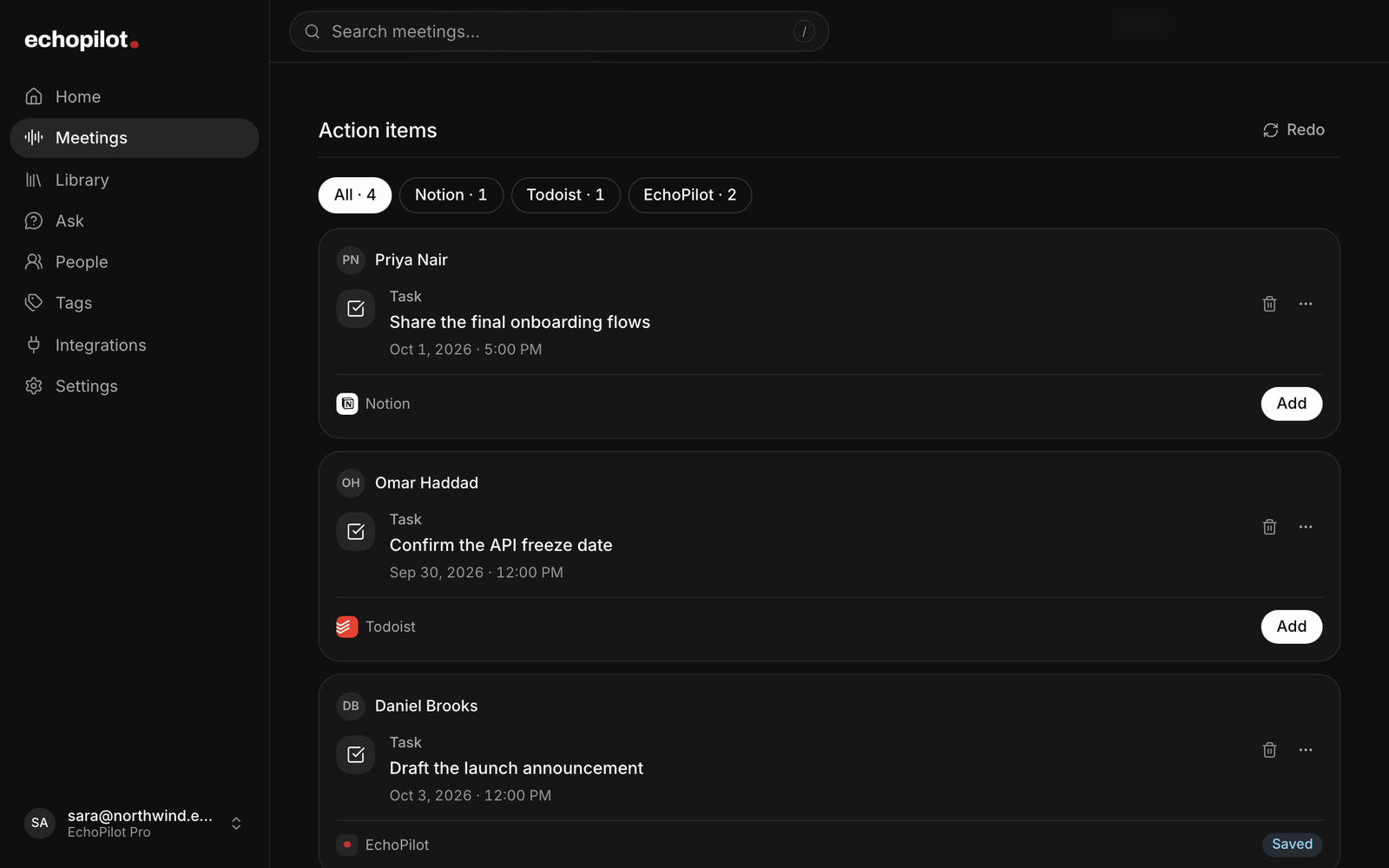
The gap between a meeting and a task list is where most follow-ups die. The notes say “we should look at the pricing page”; nobody is sure whether that was a task, who owns it, or whether it was ever agreed. Turning notes into tasks well is mostly a matter of deciding what counts, and then handing the tedious part to something that will not invent work on your behalf, which is what meeting action items in EchoPilot are built around.
What counts as a task
A task is a commitment: someone said they would do something. It is not a suggestion (“we should”), a wish (“it would be good if”), or a question (“could we”). The test is simple. If you read the line to the person named and they would say “yes, I said I would”, it is a task. If they would say “I was thinking out loud”, it is not.
Most meetings produce three or four real commitments and a dozen things that sound like them. A task list that holds all of them is a list nobody trusts.
Give each task three things
An owner. Named in the meeting, not assigned afterwards by the note taker. A task that nobody took has no owner, and the honest note says so rather than guessing.
A date, if one was said. “By Friday” is a date. “Soon” is not, and a task tool that turns “soon” into next Tuesday has invented a deadline. Leave it open and ask.
A home. The task should live where the owner already looks: their task manager, their calendar, a reminder on their phone. A task that lives only in the meeting notes is a task that will be rediscovered, with surprise, in the next meeting.
The automation trap
Tools that create tasks from meetings automatically fail in two ways. The first is over-creation: every “we should” becomes a ticket, and the owner spends the next morning deleting. The second is silent creation: tasks appear in other people’s task apps without anyone having said yes, which is how a tool earns the reputation of being more work than the meeting.
The fix is a review step that is fast enough to keep. Draft the task, show it, let the person confirm or correct it in seconds, and only then create it anywhere. The draft can be automatic; the sending should not be.
How EchoPilot does it
After a meeting is processed, every commitment becomes a card: what was agreed, written as a task rather than a quotation; the owner, when someone was named; the due date, when one was actually said; the destination it picked, named plainly; and the moment in the recording it came from, so you can hear whether it was a commitment at all. A card missing something that matters says so rather than guessing, and one edit clears it.
Tasks and reminders that are yours are added to your EchoPilot list straight away, with Undo on the card, because that is the one place where nothing leaves your own account. EchoPilot asks once which speaker is you so it knows which tasks are yours. Anything for another app, and anything someone else promised, waits as a card: nothing is created in Todoist, Google Tasks, Microsoft To Do, Notion, Slack or your calendar until you approve it, on your phone, on the web or in the desktop app.
Mark a card Not needed and it steps aside; set aside the same kind of suggestion a few times and EchoPilot shows fewer like it. Ask for a change in your own words (“make it Friday, and send it to Todoist”) and the revised draft appears on the card for you to apply. The review step is the feature, and there is no setting to turn it off.