The recorder you already carry.
Record a four-hour meeting or a fifteen-second thought on the phone in your pocket. It keeps going in the background, with the screen locked, and everything lands on every device you use.
- Records with the screen locked
- Up to 4 hours in one recording
- Apple Watch companion
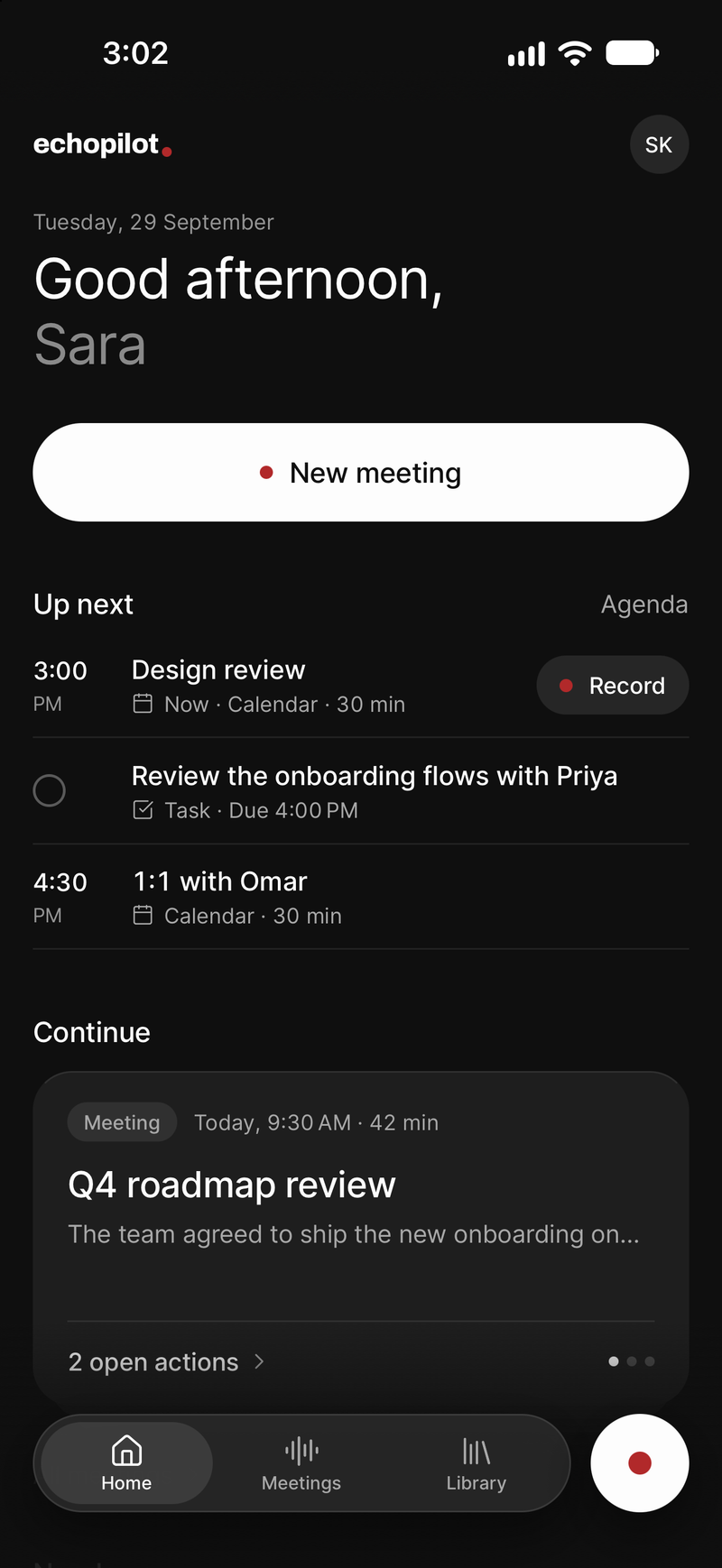
The room, on the table
Put the phone down and record. It keeps going in the background with the screen locked.
Written to disk as it goes
Segments are committed throughout, so a call or a crash costs seconds, not the meeting.
From your wrist
Start a capture on Apple Watch for the conversation you would not have got your phone out for.
Reminders that hold the screen
Alarm-style, for the moments that cannot slip. Tasks go to the app you already use.
What it looks like
-
Home, with one tap to record
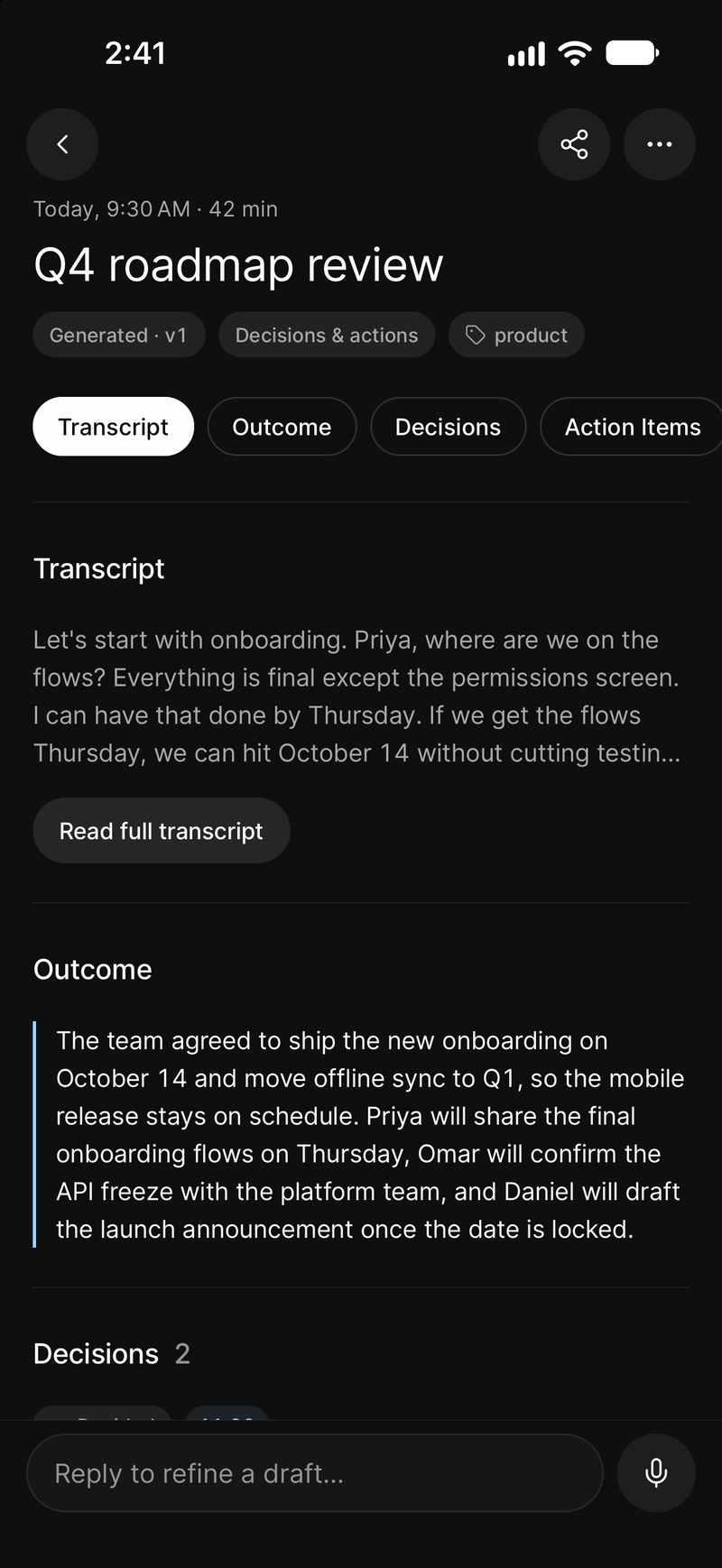
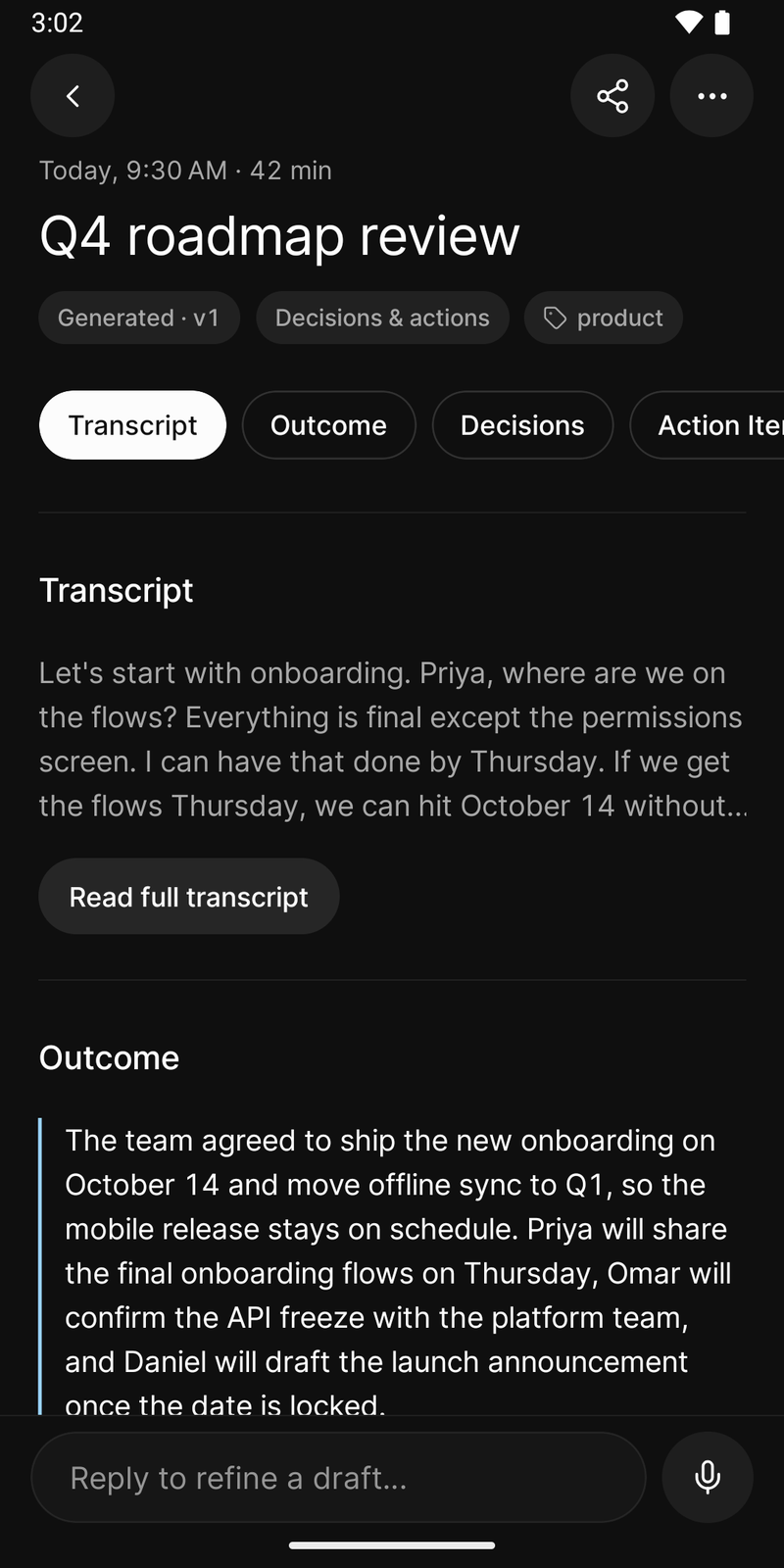
The minutes, when the recording ends
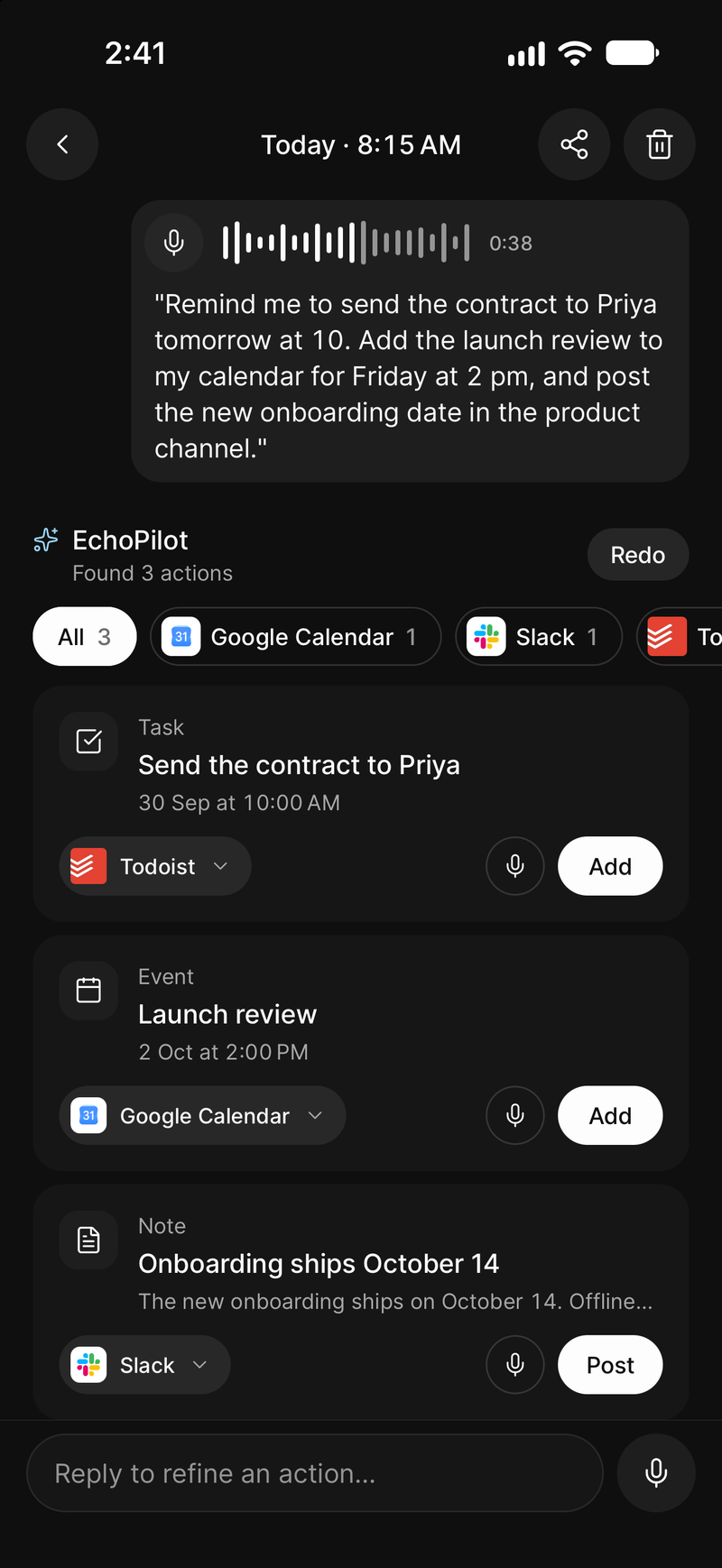
A fifteen-second note, turned into three cards
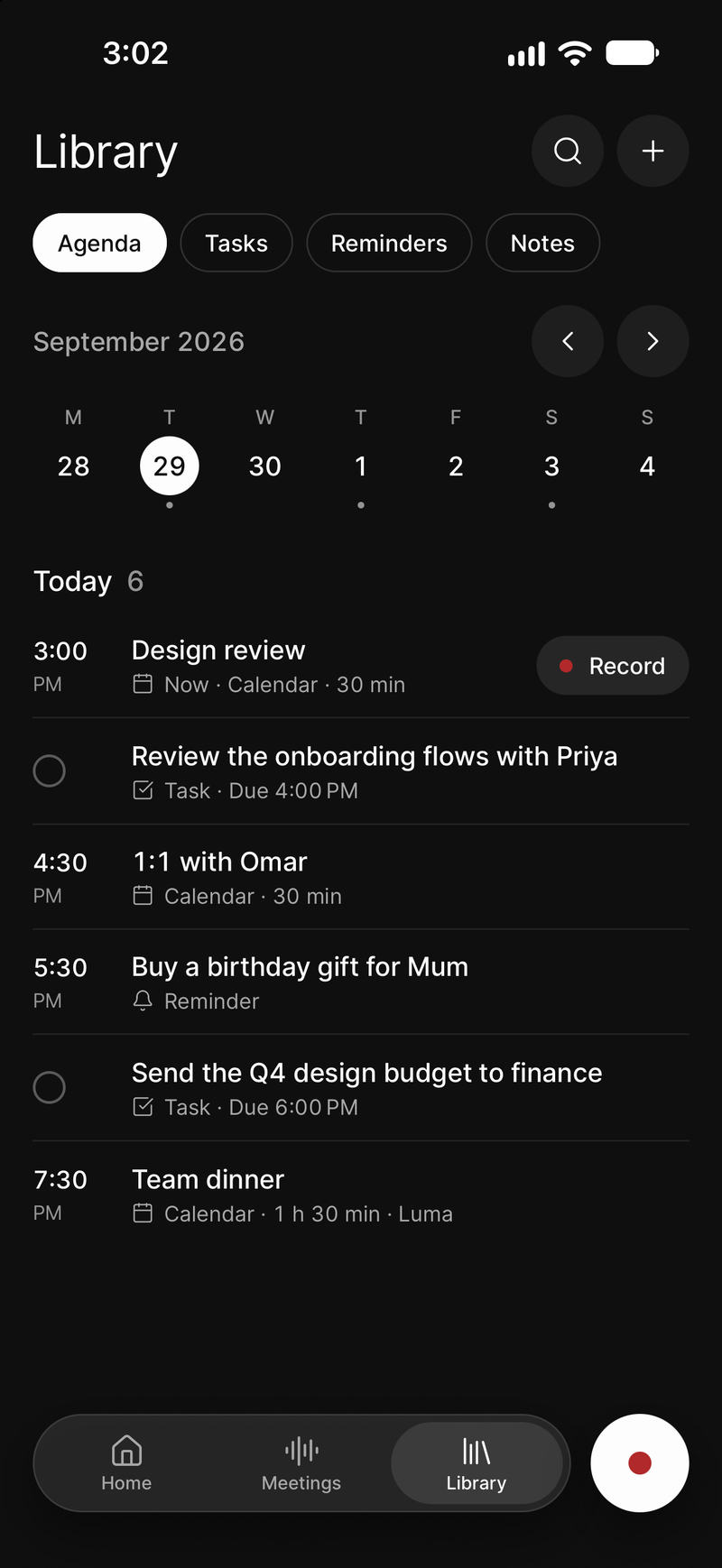
Tasks and reminders in the Library
Mobile, in depth.
Most meetings are not video calls. They are a conversation across a table, a phone call in a car, a decision made standing in a corridor. The phone is the only recorder that is reliably present for all of them, which is why it is where the AI meeting assistant starts.
Meetings in a room
Put the phone on the table and record. A Pro recording runs up to four hours, and it does not stop when you switch apps or lock the screen. Audio is written to disk in segments as it goes, so an incoming call, a flat battery or a crash costs you seconds rather than the whole meeting, and an interrupted recording can be resumed. Once you have signed in, the app opens and records with no connection at all, and the recording uploads itself when the phone is back online. The meeting recorder page goes through each of those cases.
A meeting that ended up as two or three recordings merges back into one set of minutes from the Meetings tab, and the meetings of a recurring calendar event form a series there, with the tasks still open across them and Ask across all of them.
What comes back is the same on every platform: a titled set of Meeting Minutes with a summary, timestamped notes, key points, decisions, open questions and action items, a searchable transcript synced to the audio, and action cards for every commitment, waiting for you to approve them.
Nothing joins the meeting. There is no bot to invite and no second device to buy.
Voice notes, the same pipeline
Not everything worth recording is a meeting. A thought on the way out of a building, a list dictated while walking, a reminder that would otherwise be forgotten by the time you sit down.
Short captures run through the same pipeline: transcribed, refined, and turned into tasks or reminders you approve. Free accounts get a monthly allowance of short AI voice captures; Pro allows longer notes and removes the monthly cap. Voice notes and meeting minutes are separate allowances, so a long meeting never eats your notes. The exact numbers are on the pricing page.
Each phone has its own page with what it can do: EchoPilot for iPhone and EchoPilot for Android.
Apple Watch
The watch is the answer to the recording you would never have started, because getting your phone out would have interrupted the moment. Start a capture from your wrist, and it syncs to your account like anything else. There are widgets, Siri support and Shortcuts on iPhone for the same reason: the faster it is to start, the more often the useful thing gets recorded.
Reminders that hold the screen
Some commitments are moments rather than tasks. EchoPilot’s reminders are alarm-style: they take the screen instead of waiting quietly in a notification list. Ordinary tasks go to your task manager, where they belong.
Everything, everywhere
A recording made on your phone is immediately available on the web app and, if you use one, on your Mac or Windows machine. One account and one subscription cover all of them: Pro bought in the iPhone or Android app, or on the web, unlocks iPhone, Android, desktop and web for the same account.
Available on the App Store and Google Play, from the download page.
What this does not claim
Segmented, resumable recording. Audio is written to disk as the meeting runs, so an interruption does not lose it. A whole meeting can be recorded with no connection and uploads itself later.
Opens and records with no connection. Once signed in on that device. Recordings stay on the device and upload by themselves when it is back online; the minutes are written then.
Meetings that belong together, as a series. A series forms from the meetings of one recurring calendar event, or by hand: from a meeting's menu, or with Add meetings on the series. What a series will remember before the next meeting is in development.
Merge a meeting recorded in pieces. Two to six meetings recorded within seven days, up to 60 minutes in total on Free and four hours on Pro. Each part keeps its own audio and transcript.
Your own tasks added for you, with Undo. Only tasks and reminders that are yours, and only in EchoPilot's own list. Anything for another app, and anything someone else promised, waits as a card you approve.
Guides
Questions worth answering.
How long can a meeting recording be?
What happens if I lose signal during a meeting?
Can EchoPilot keep the meetings of a weekly meeting together?
What if a meeting was recorded in pieces?
Does a bot join my meeting?
What is in a set of EchoPilot meeting minutes?
Does one subscription cover every device?
Your next meeting can end with the work already drafted.
Install EchoPilot on the phone or the computer you already work on, record the next conversation you would otherwise try to remember, and read the minutes, the transcript and the drafted actions it gives you back.
Questions? support@echopilotapp.com