Everything after the recording, on a real screen.
Sign in and read the minutes, search the transcript, play the audio, ask questions, approve the cards and export. Recording happens on your phone, watch or desktop app.
- Read, search, ask, approve, export
- Never records
- Same account as the app
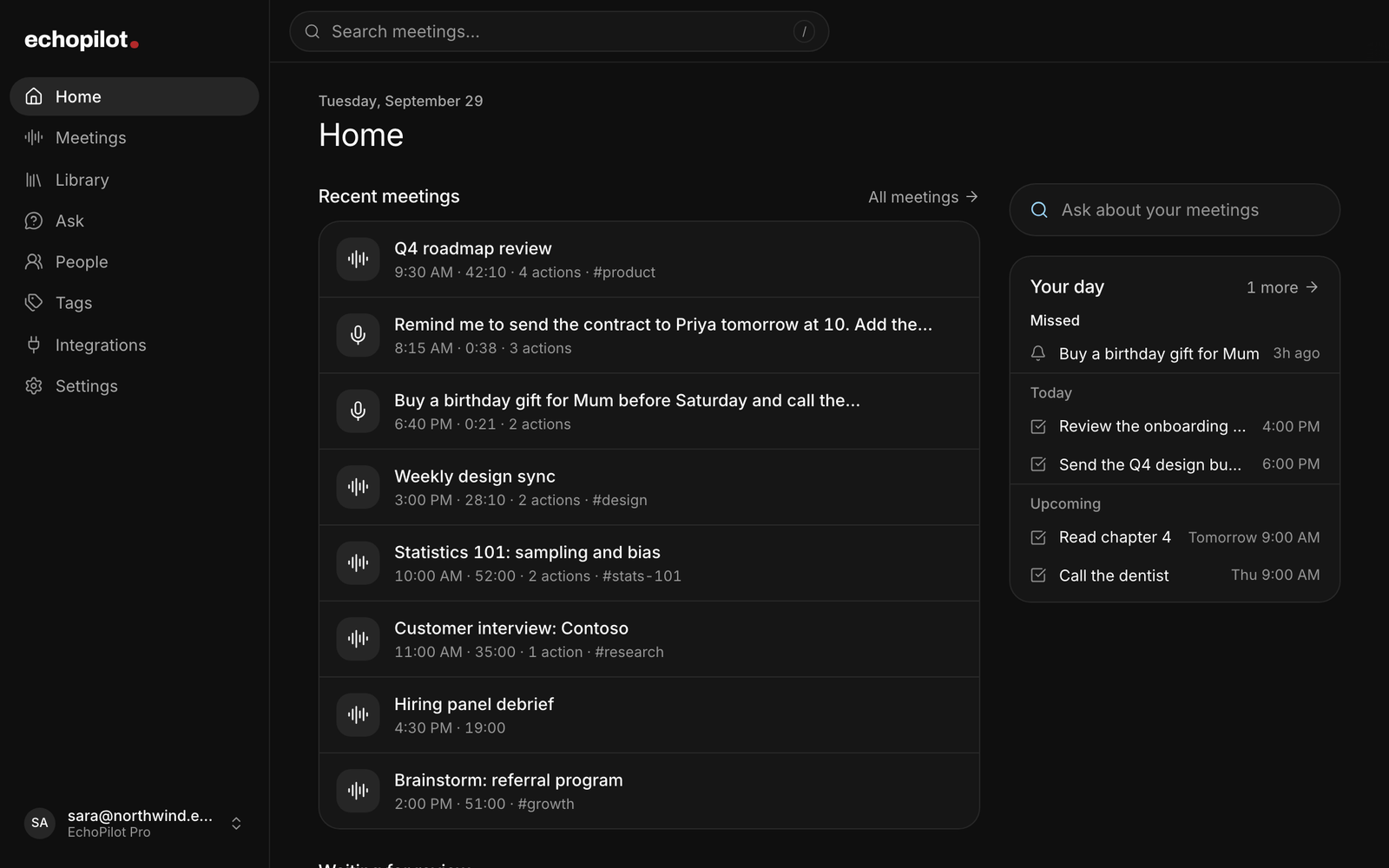
Minutes on a real screen
Title, summary, timestamped notes, key points, decisions, open questions and action items, on a screen that fits them.
Search and play
Full-text search with stepping, and playback from any line of the transcript.
Approve and export
Review the cards, send them where they belong, and export the transcript, the write-up, or both.
It does not record meetings
Capture happens on phone, watch or desktop. The browser is for everything after, plus spoken questions it never stores.
What it looks like
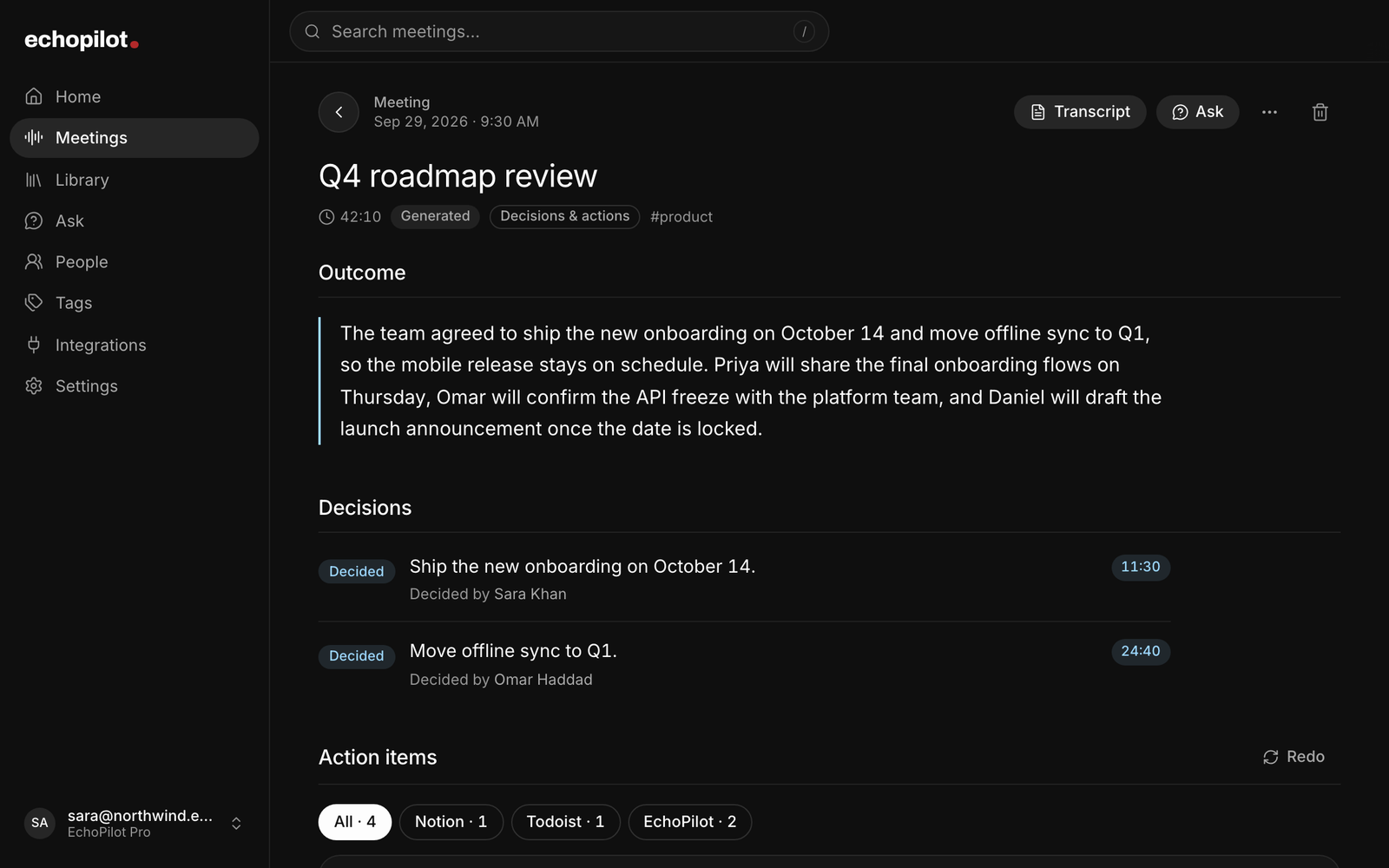
A meeting, on a screen that fits it
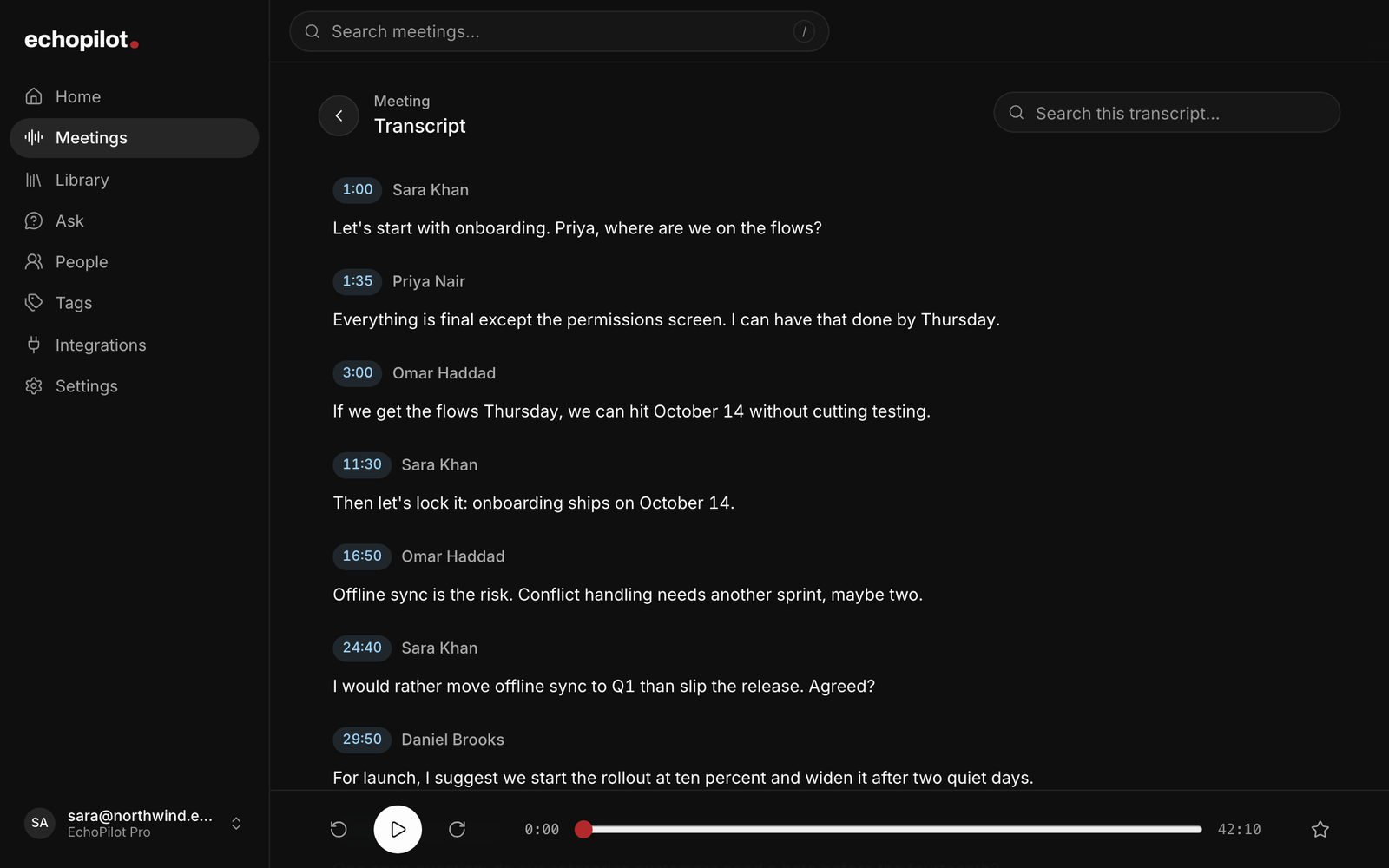
The transcript, with playback from any line
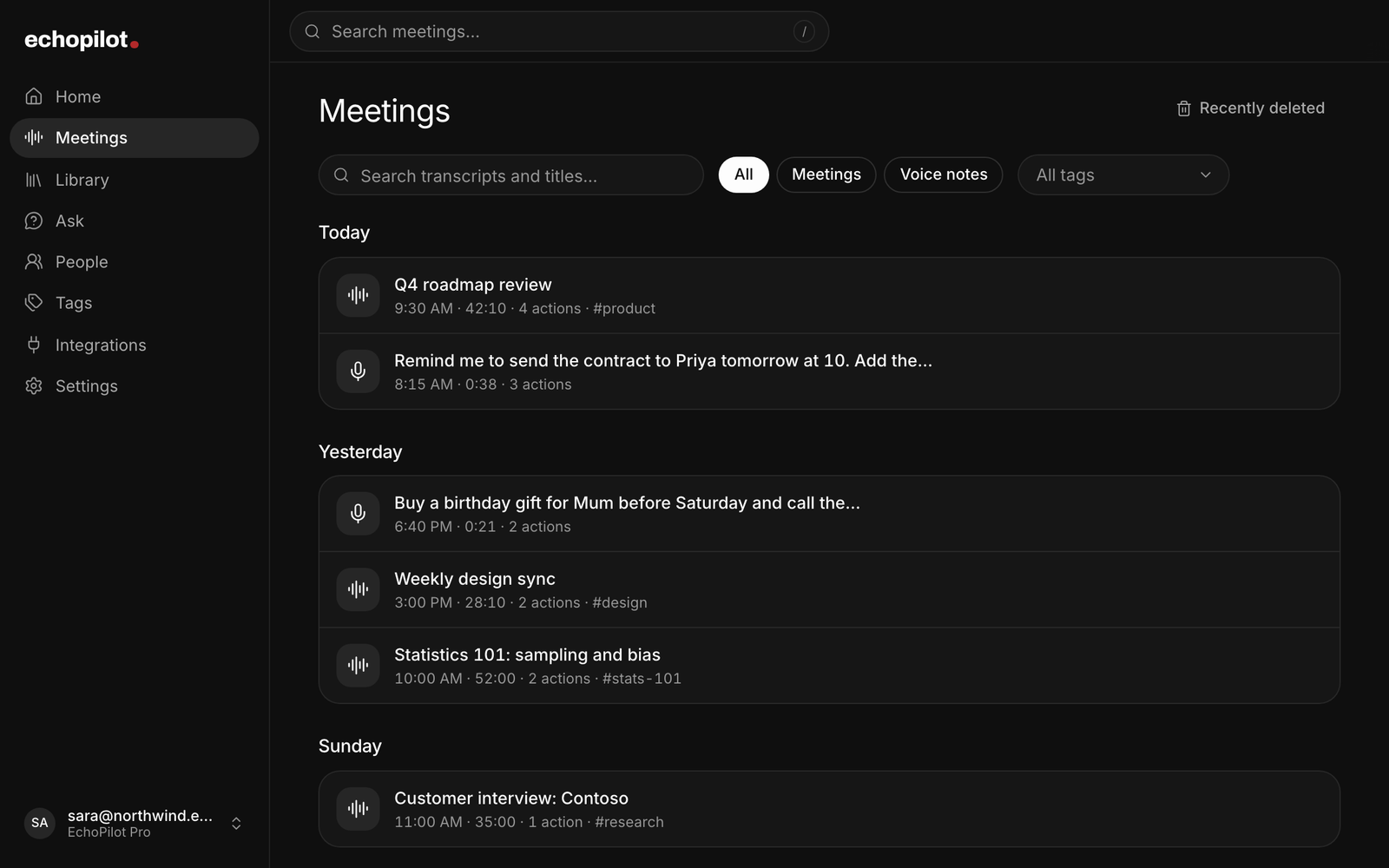
Every recording, from every device
Web app, in depth.
The web app is where a meeting stops being a recording and becomes something you work with. A laptop screen fits a four-hour transcript in a way a phone does not, and reading, correcting and approving are all easier with a keyboard.
What you can do there
- Read the Meeting Minutes in full: title, summary, timestamped notes, participants, key points, decisions, open questions, action items and highlights.
- Search the transcript with match counts and stepping, and play the recording from any line.
- Keep meetings together. The meetings of a recurring calendar event form a series, with the tasks still open across them; a meeting recorded in pieces merges into one set of minutes.
- Ask questions about one meeting, a series, or everything you have recorded, with cited timestamps. Type the question or speak it: the microphone in the Ask composer transcribes what you said and then throws the audio away.
- Edit and correct. Fix a misheard line; the original audio and text stay underneath as evidence and any minutes built on the old wording are flagged for rebuild.
- Review and approve action cards. Open any card to see every field, the meeting moment it came from and anything that needs your attention. Edit it, or ask for a change in words and review the revised draft before it applies, then send it to the destination you choose. An email opens as a ready draft in Gmail, Outlook or your mail app, an event goes to your calendar, and a WhatsApp message opens in WhatsApp, each for you to finish; nothing is sent for you. Connecting a Gmail account is not supported: the draft opens in Gmail in your browser, signed in as you.
- Add your own tasks, reminders and notes in the Library, the same ones the phone keeps.
- Export the transcript on its own, the summary and notes on their own, or the whole meeting, as PDF, Markdown or plain text.
- Get the desktop app from Settings, then Desktop app: the download for the machine you are on.
- Manage your account and subscription, including entering a code under Settings, then Subscription.
What it does not do
It does not record meetings or notes. There is no browser capture in EchoPilot.
Recording happens on iPhone, Android, Apple Watch, or the Mac and Windows desktop apps. The split is deliberate: capture belongs on a device that is with you and can keep recording in the background for hours, and review belongs on the biggest screen you have.
Speaking a question to Ask is the one place the browser uses your microphone, and it is not capture: the few seconds you speak are transcribed into the question box and discarded. Nothing is stored, no recording is created, and it does not count against your monthly captures. In the desktop apps the microphone belongs to the capture panel alone, so spoken questions there happen in a browser or on your phone.
Getting in
Sign in at platform.echopilotapp.com with the same account you use in the app. Everything you have recorded is already there.
What this does not claim
Signed-in web app. The web app reviews and never records. Capture happens on phone, watch and desktop.
Ask EchoPilot. Read-only. Ask never creates, edits or sends anything.
Questions worth answering.
Can I record in the web app?
I have a code. Where do I enter it?
Can I search a transcript and hear that moment?
Your next meeting can end with the work already drafted.
Install EchoPilot on the phone or the computer you already work on, record the next conversation you would otherwise try to remember, and read the minutes, the transcript and the drafted actions it gives you back.
Questions? support@echopilotapp.com