Record the lecture. Revise from notes that point back to it.
Record the class on your phone, or the online lecture on your computer. EchoPilot writes study notes by topic with the key concepts, definitions and deadlines, and every note plays the moment it came from.
- Lecture hall or online class
- Every note plays its moment
- Nothing sent without you
In the hall or online
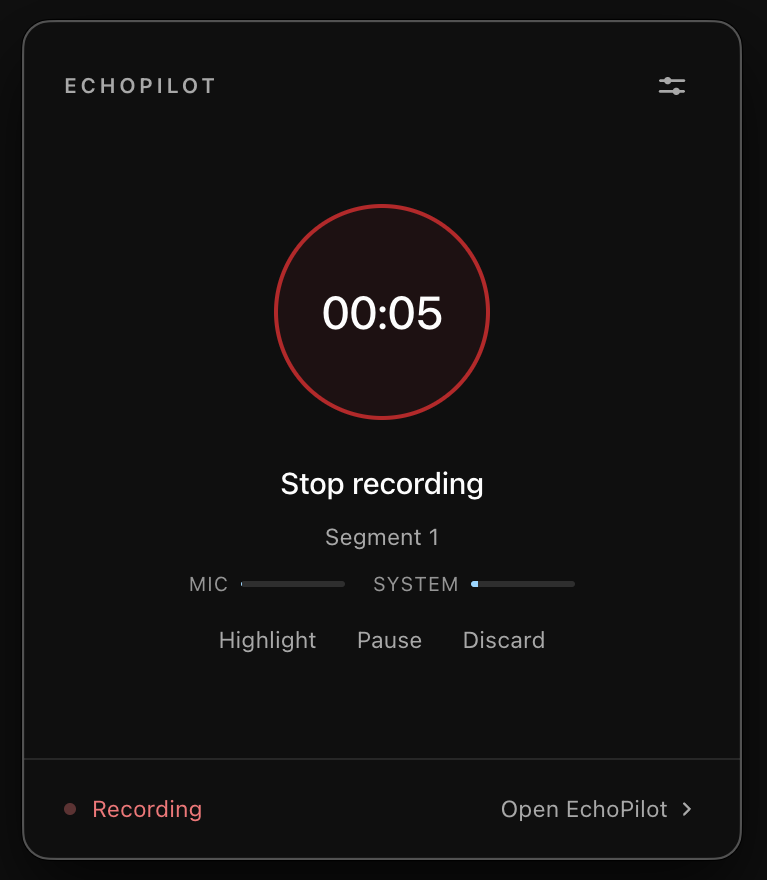
Your phone records the lecture hall. The Mac or Windows app records an online class from the computer’s own audio, with nothing joining the call.
Notes you can revise from
Study notes by topic, key concepts, definitions, examples and questions to review, written by the Lecture notes template.
Ask the lecture
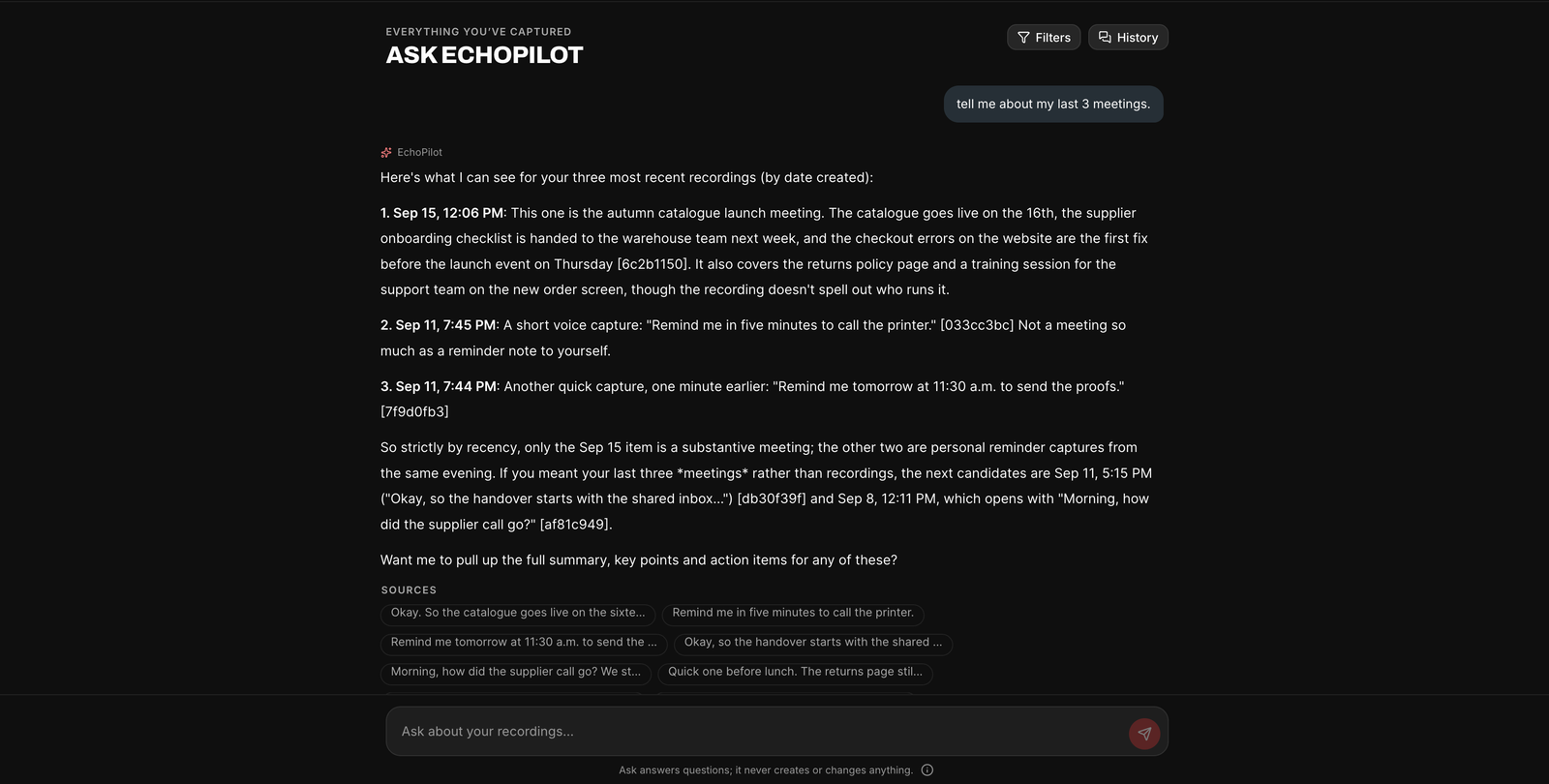
Ask it to explain a concept or summarise a topic. Answers from the lecture cite the moment; general knowledge is labelled.
Deadlines, drafted
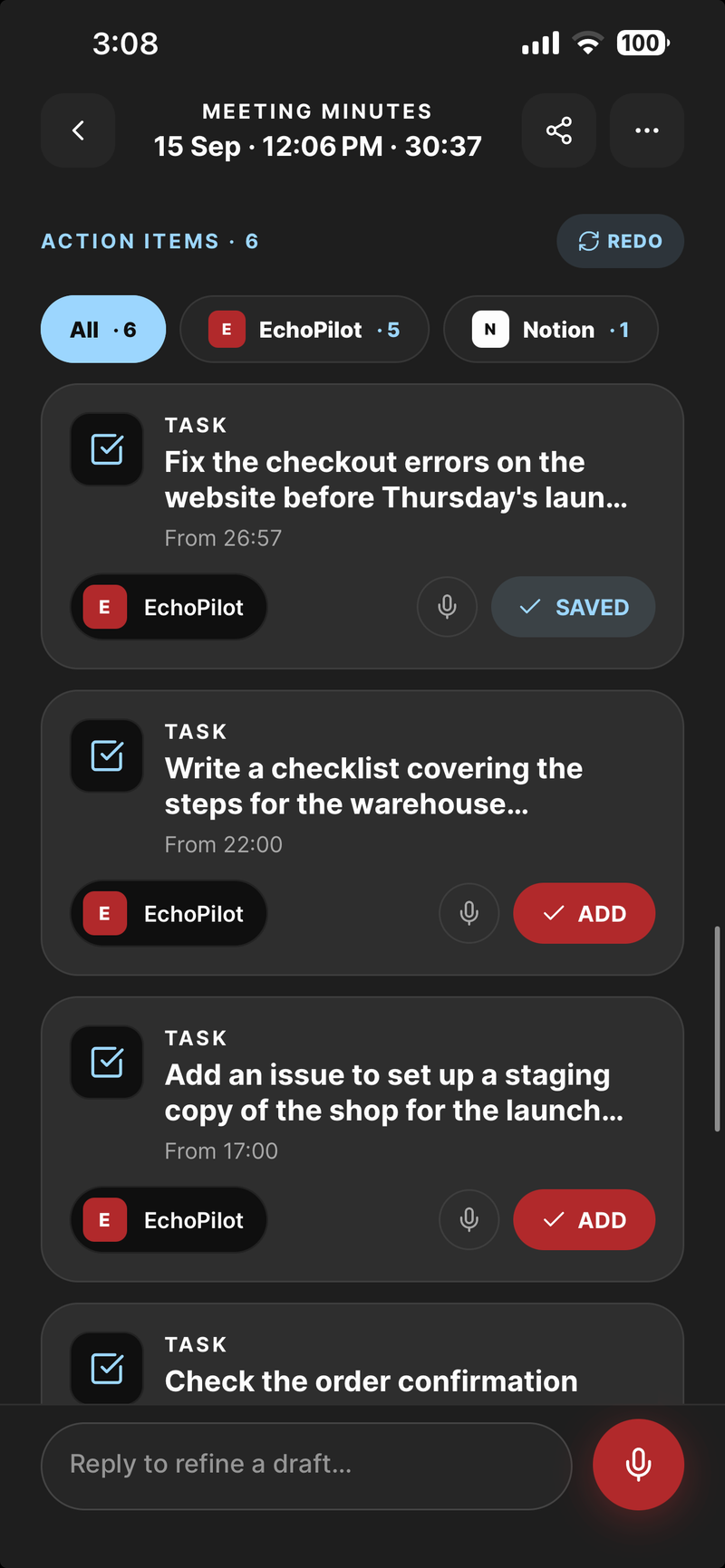
Assignments the lecturer sets become tasks and reminders you approve into your task app or calendar.
One lecture, organised for revision.
An invented lecture, shown the way the Lecture notes template lays it out. Not a screenshot.
Overview
How the cell membrane controls what enters and leaves the cell. The lecture moved from the structure of the phospholipid bilayer to passive transport, osmosis, active transport with the sodium-potassium pump, and a short look at bulk transport, ending with the problem set and the reading for Thursday.
Study notes
A phospholipid bilayer: hydrophilic heads face the water on both sides, hydrophobic tails face each other inside.
Small non-polar molecules such as oxygen and carbon dioxide cross it freely; ions and larger polar molecules such as glucose do not.
Movement down a concentration gradient, from high to low, with no energy spent by the cell.
Facilitated diffusion uses channel and carrier proteins for what cannot cross the bilayer alone; still passive.
Water moves across the membrane towards the side with the higher solute concentration.
Hypertonic, hypotonic and isotonic describe a solution relative to the inside of the cell.
Moves substances against their gradient and needs energy, usually from ATP.
The sodium-potassium pump moves 3 sodium ions out and 2 potassium ions in for each ATP used.
Endocytosis brings large particles in by folding the membrane around them; exocytosis releases them the other way.
Key concepts
- Passive transport follows the concentration gradient and costs the cell no energy; active transport works against it and does.
- Membrane proteins decide what gets through beyond the few molecules that diffuse freely.
- Osmosis is diffusion of water, so tonicity predicts whether a cell swells or shrinks.
Definitions and terms
- Selectively permeable
- Lets some substances cross and not others.
- Diffusion
- Net movement of particles from higher to lower concentration.
- Facilitated diffusion
- Diffusion through a channel or carrier protein.
- Osmosis
- Diffusion of water across a selectively permeable membrane.
- Active transport
- Movement against a concentration gradient, using energy.
Examples
- A red blood cell in pure water swells and can burst; in very salty water it shrinks.
- Oxygen diffusing from the air in the lungs into the blood.
- Nerve cells relying on the sodium-potassium pump to stay ready to fire.
Assignments and deadlines
Questions to review
- A student asked why the pump moves three sodium ions for every two potassium; the lecturer said it comes back in the nerve signalling lecture.
- Why a plant cell does not burst in a hypotonic solution: to be covered in Thursday’s lab.
- Practise predicting what happens to a cell in each type of solution, as suggested at the end.
Study tasks, drafted for you to approve
What it looks like
Desktop capture with separate microphone and system audio meters
Every line timestamped, with the player underneath
Drafted tasks, each added only when you approve it
Ask across your recordings, with the sources listed
For students, in depth.
Typing through a lecture means choosing between listening and writing. Record it instead. EchoPilot is an AI meeting assistant that treats a lecture like any recording worth keeping: it transcribes it, recognises when it is a lecture, and writes notes you can revise from, with every point tied to the moment the lecturer said it.
Record the lecture, in the room or online
In a lecture hall or a seminar room, put your phone on the desk and press record. It keeps going with the screen locked and the app in the background. A recording made with no signal stays on the phone and uploads itself when you are back online, so a lecture theatre with no signal loses nothing.
For an online lecture or class, the Mac and Windows app records the audio your computer is playing, so the lecturer is captured directly rather than through a speaker, along with your microphone. Mute your microphone in EchoPilot and only the lecture is recorded; muting there changes nothing in the class itself. Nothing joins the call. On Mac, capturing the computer’s audio needs macOS 14.2 or later.
The web app is where you review, search and ask on a laptop. It does not record.
Notes organised the way you revise
EchoPilot reads what the recording is about and picks the template that fits. A lecture comes back as Lecture notes:
- Overview of what the lecture covered, in the order it was taught.
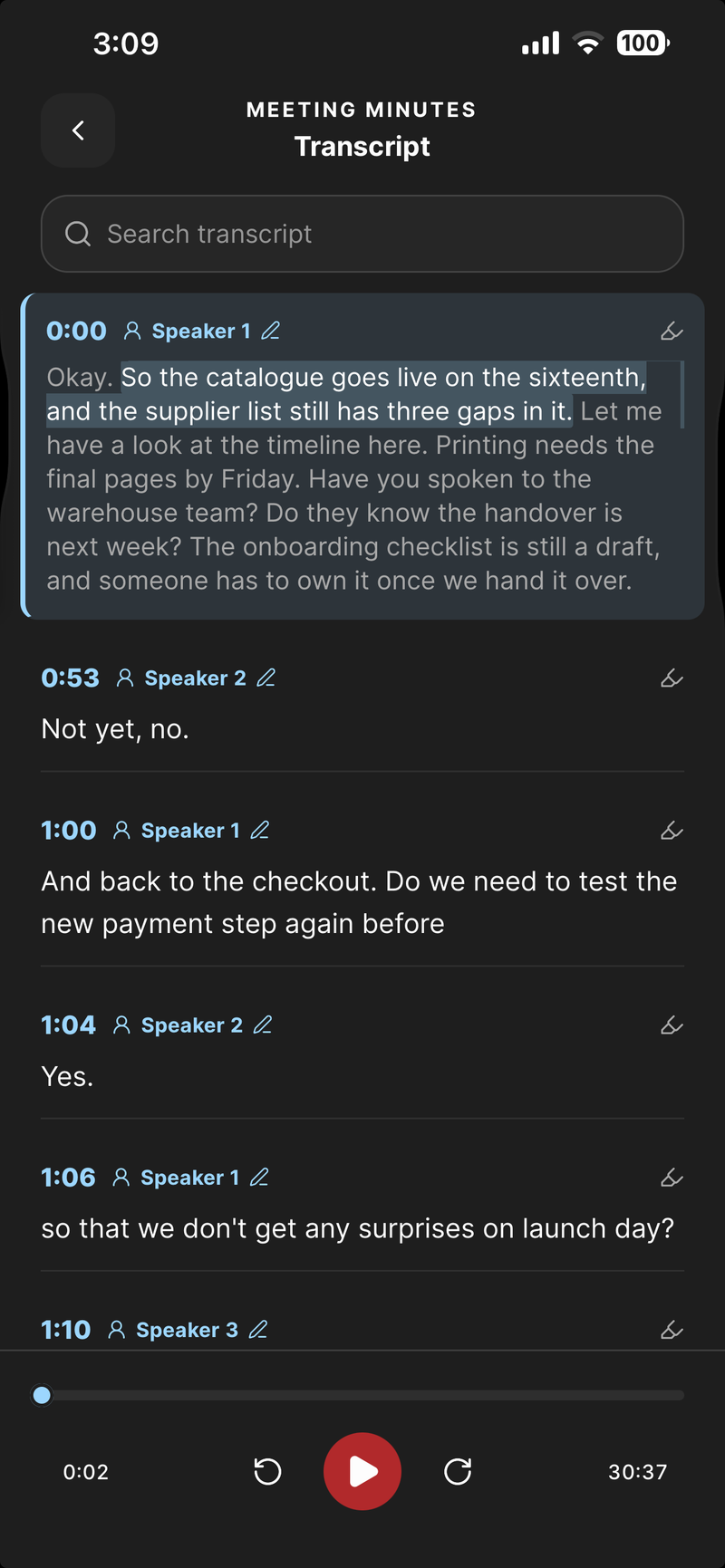
- Study notes by topic, each with its timestamp. Tap one and the transcript jumps to that moment.
- Key concepts a student needs to understand, each explained the way the lecturer explained it.
- Definitions and terms the lecturer actually explained.
- Examples, the cases, demonstrations and worked problems, and what each one showed.
- Assignments and deadlines, only when the lecturer sets them, with each deadline in the words the lecturer used. EchoPilot never invents homework or a due date.
- Questions to review: questions left unanswered, points the lecturer said would come later, and anything you were told to read up on or practise.
The result shows which template was used. When EchoPilot is not confident a recording is a lecture, it writes standard minutes instead. On Pro you can switch any recording to Lecture notes, preview the new version and only then replace the old one.
The example above is an invented lecture in exactly that layout. If you prefer to write notes by hand, the same structure is a free lecture notes template for Word, Google Docs and Notion.
Key concepts and definitions, pulled out
The terms you will be examined on are listed with their meaning, apart from the running notes, so revision starts from a glossary rather than from 50 minutes of audio. The key concepts sit beside them, one sentence each.
Search the transcript, hear it again
The full transcript sits under the notes. Search it for a term and step through every match; tap any line and the recording plays from there, so the explanation you half caught is one tap away. The follow-along highlight is a reading aid that tracks the audio closely, not subtitle-grade timing.
On Pro, correct a technical term that was misheard; the original audio and text stay underneath. Add the course’s recurring names and terms to your custom vocabulary, and the next lecture has a better chance of spelling them the way your textbook does.
Ask the lecture a question
Ask answers questions about one lecture or across a whole course. Ask it to explain a concept again, summarise a topic, or list everything said about the exam. Tag lectures by course, and ask across exactly those.
What comes from the lecture cites the moment it was said, so you can play the sentence before you rely on it. What comes from general knowledge is labelled that way and is never presented as something the lecturer said. Ask is read-only: a question never changes your notes.
Deadlines and study tasks, as cards you approve
An assignment the lecturer sets becomes an action card: a task for the problem set, a reminder for a submission or exam the lecturer gave a date for, a calendar event for a review class with a stated time, and one note collecting your questions to review. Concepts and definitions stay in the notes rather than becoming tasks. Send them to Todoist, Google Tasks, Apple Reminders, Notion or your calendar.
Nothing is created anywhere until you approve that card.
On every device you study on
A lecture recorded on your phone is on your laptop by the time you sit down to revise, and the other way round. Export the notes as a PDF, Markdown or plain text, with the timestamps kept. On Pro, notes translate into 32 languages; English, Arabic, Urdu and Hindi are verified end to end and the rest are offered as best effort.
Also for group projects and training
The same templates cover the rest of a term. A group project meeting can come back as Brainstorming notes, with ideas grouped by theme, the promising directions, open questions and next steps, or as Decisions and actions when the group settles who does what. A training session or workshop fits Lecture notes as well as a lecture does.
Ask before you record
Many universities and colleges require the lecturer’s permission to record a class, and many limit recordings to your own study. Ask first, and keep the recording to yourself unless everyone in it agrees otherwise. If recording is part of an approved accessibility accommodation, your institution’s disability services office can tell you how it applies. The recording consent guide covers the wider rules.
Free and Pro
Free is a permanent plan with real meeting minutes each month, enough to try EchoPilot on your own lectures; Pro adds more minutes, longer recordings, template switching, translation and speaker turns. The pricing page has every number, read from the product, and the app is on the download page for iPhone, Android, Mac and Windows.
Questions worth answering.
Am I allowed to record my lectures?
Can EchoPilot record a whole lecture?
Can I record an online lecture or class?
Does EchoPilot write every recording in the same format?
Can I ask EchoPilot to explain something from a lecture?
Can I search a transcript and hear that moment?
Your next meeting can end with the work already drafted.
Install EchoPilot on the phone or the computer you already work on, record the next conversation you would otherwise try to remember, and read the minutes, the transcript and the drafted actions it gives you back.
Questions? support@echopilotapp.com