Now on iPhone and Android · Meetings · Ask your notes

Turn voice into finished actions.

Speak naturally, even when the thought is messy. EchoPilot turns it into clear tasks, reminders, notes, events, and drafts you can review, refine, and send to the apps you already use. Record a full meeting, then ask your notes anything later.

Say it naturally
"After the client call, send Sarah the pricing slides, schedule our Q3 review, and draft a follow-up email."
One quick recap on iPhone or Apple Watch while the context is still fresh.
Actions executed
After you approve, EchoPilot routes each action to the app you chose.
  • Calendar event created Q3 review with Sarah · Thu 3:00 PM
  • Todoist task added Send pricing slides · Tomorrow
  • Slack message sent Recap posted · #client-updates
  • Reminder scheduled Follow up with Alex · Tomorrow 9 AM
  • Email draft opened Follow-up with Alex · ready in Mail
The product promise

Capture once.
Follow through everywhere.

EchoPilot catches the thought, separates the next steps, and keeps them ready in one place until you approve where each one should go.

Without EchoPilot

Thoughts leak across five apps.

You leave a meeting with a task, a reminder, an event, a note, and an email draft. Each one needs a different app, a different field, and a different moment of attention.

With EchoPilot

One recap becomes an execution queue.

The AI splits your thought into separate cards, preserves context, and lets you approve or refine each action before it moves.

How it works

Say it once.
Keep moving.

Record from iPhone or Apple Watch. EchoPilot organizes what you meant, asks when something is unclear, and leaves every external action under your control.

01

Speak naturally.

"Plan the launch follow-up. Remind me to send the deck, schedule Sarah, and draft a concise email." No rigid commands required.

03

Review, then send.

Edit by voice or text, keep what is useful, and approve each card before it moves to a connected app.

Q3 review Calendar · Thu 3:00
Send pricing deck Todoist · Tomorrow
Post recap Slack · #client
Meeting Minutes

Record the meeting.
Leave with the minutes.

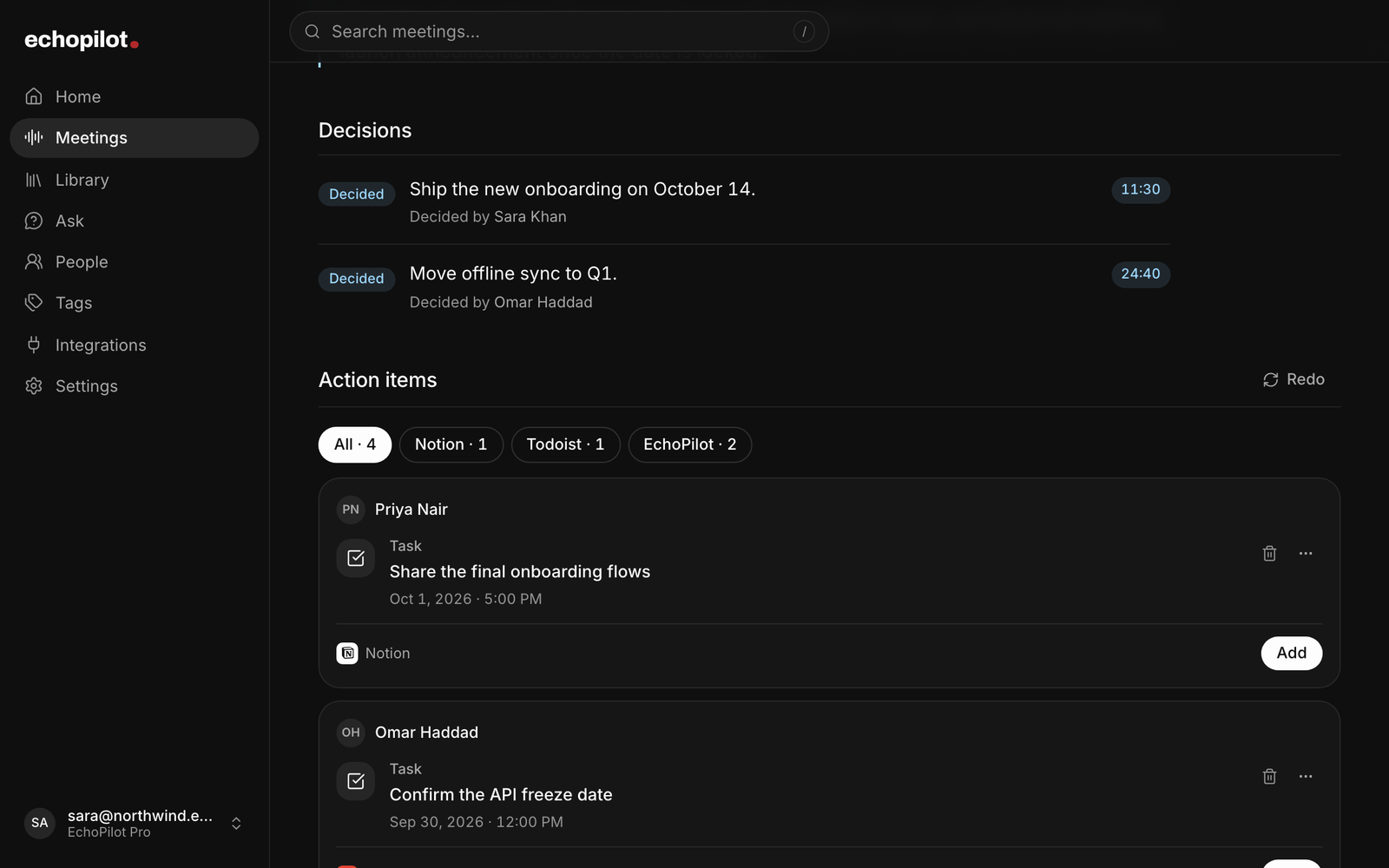
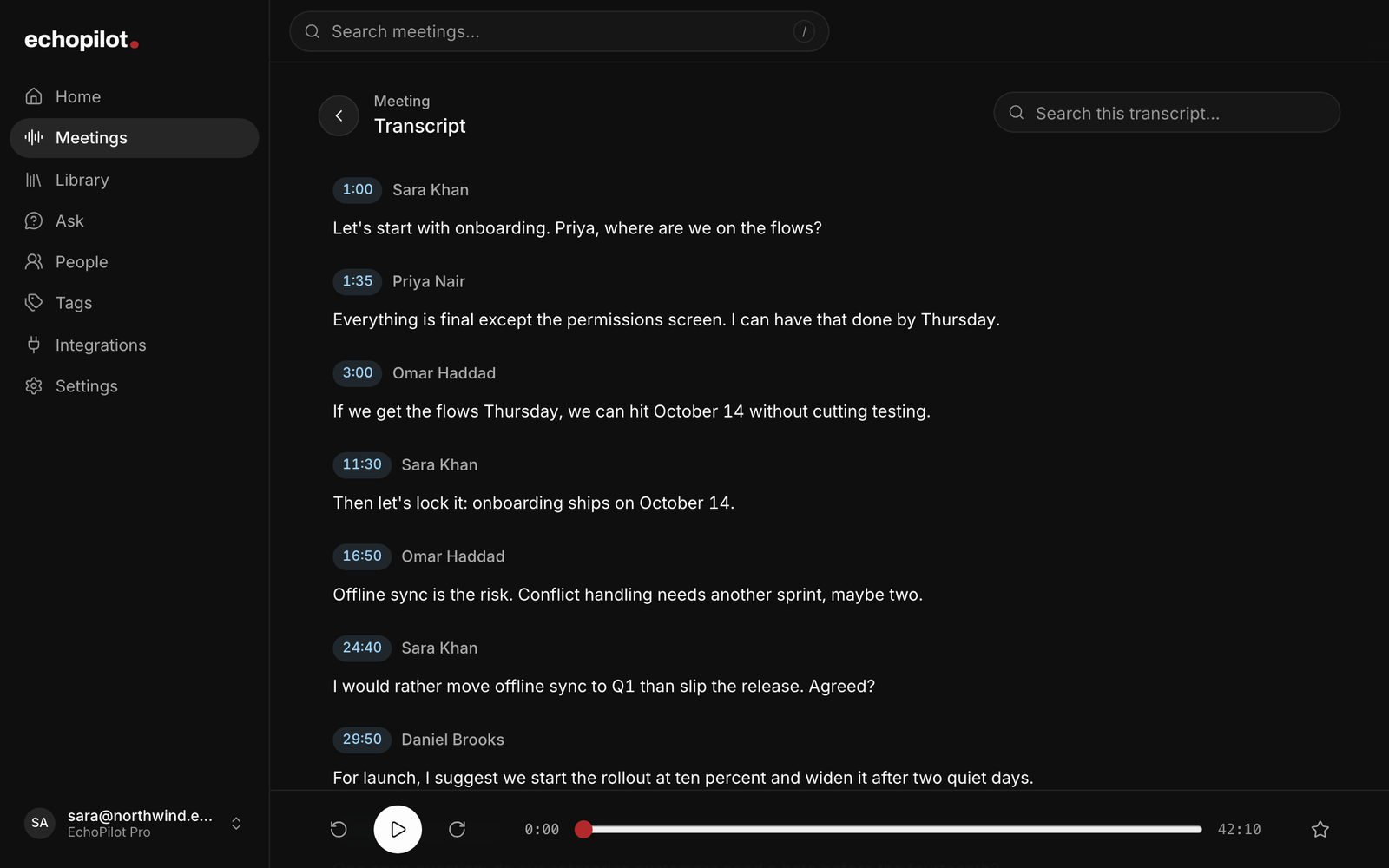
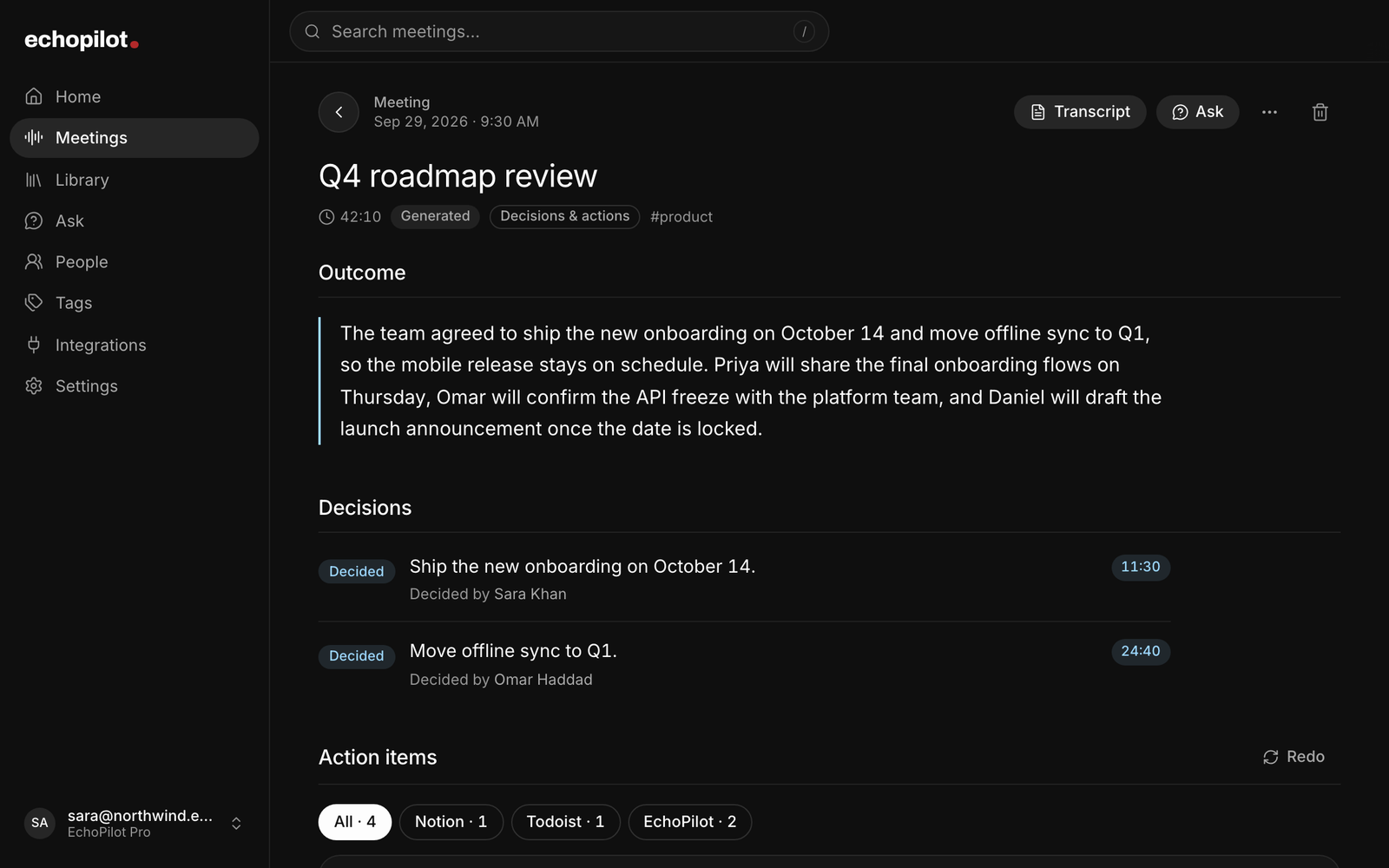
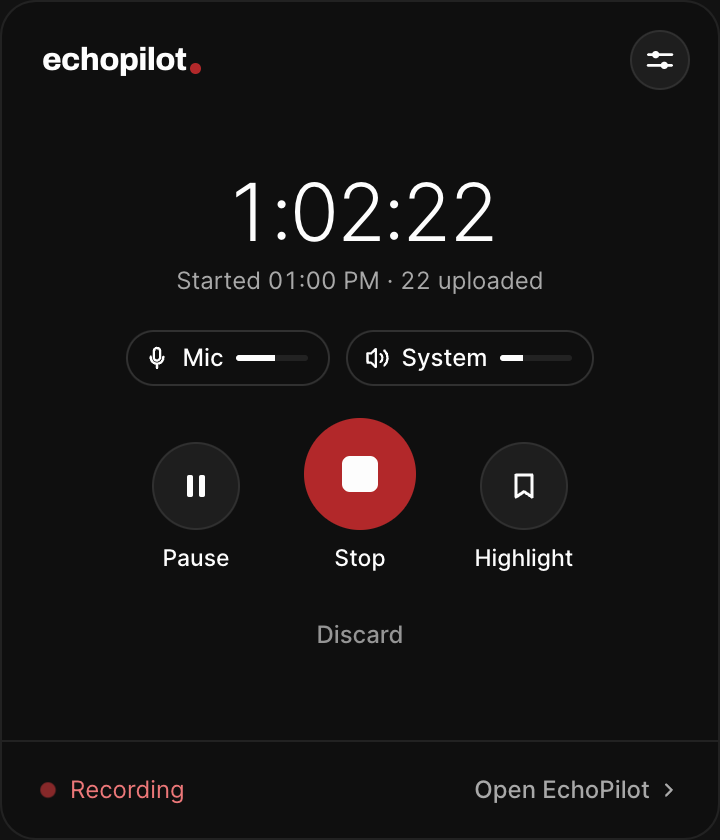
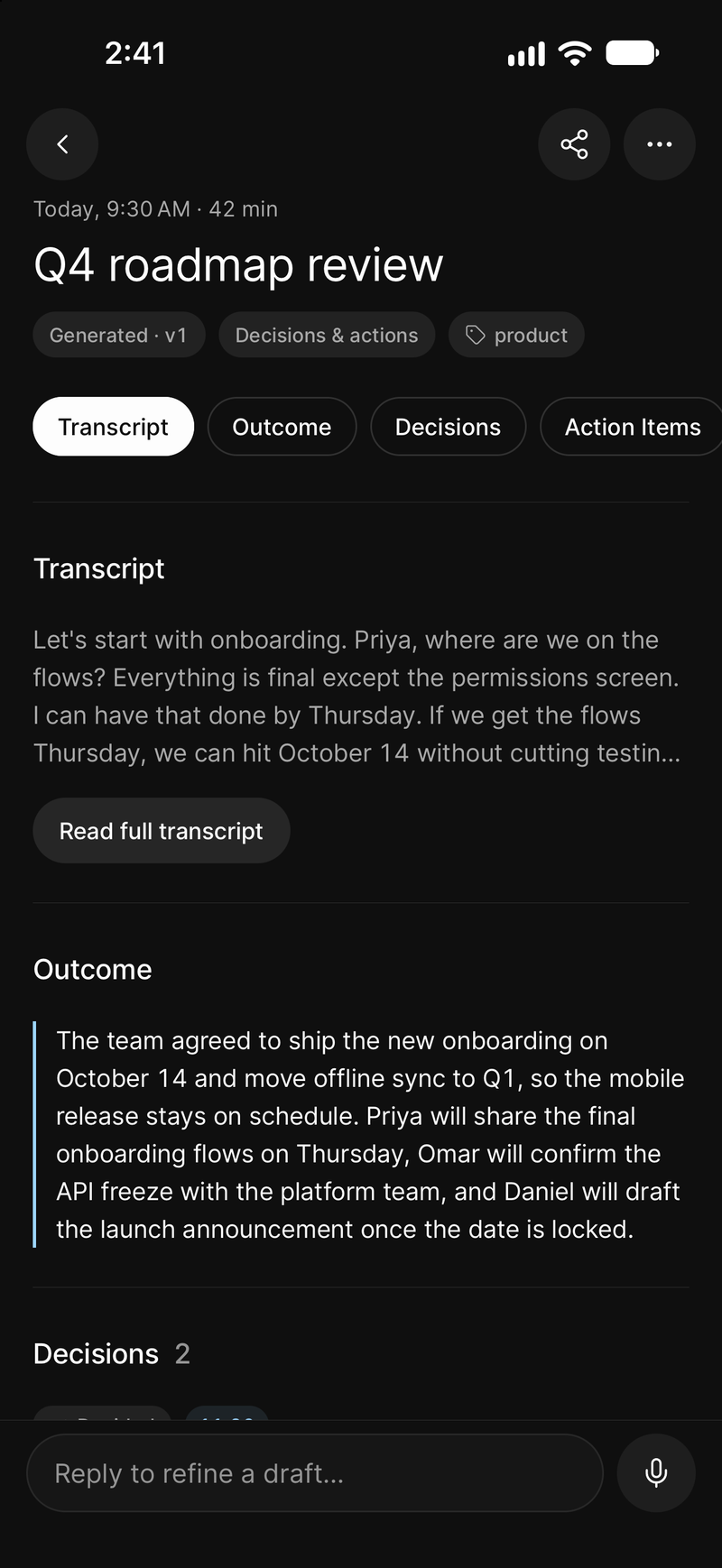
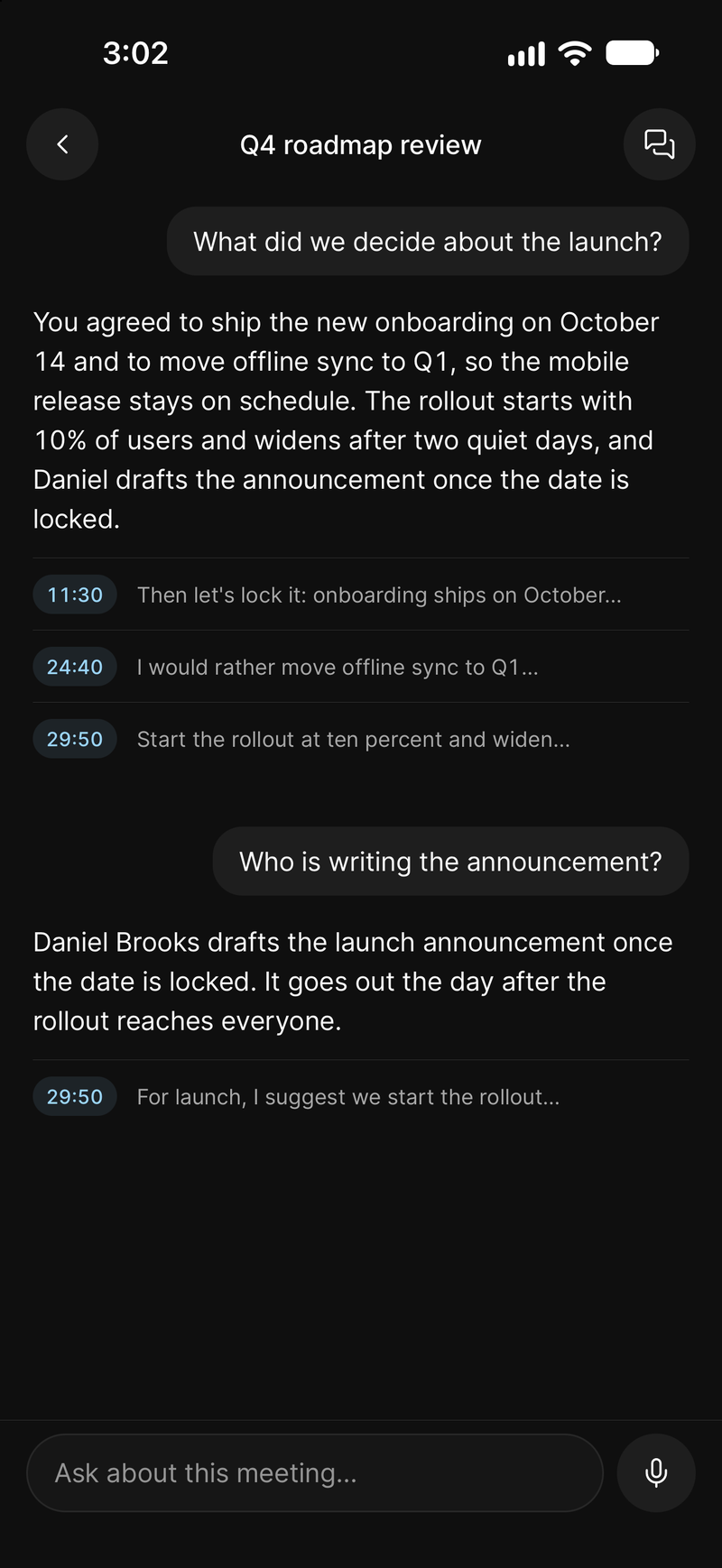
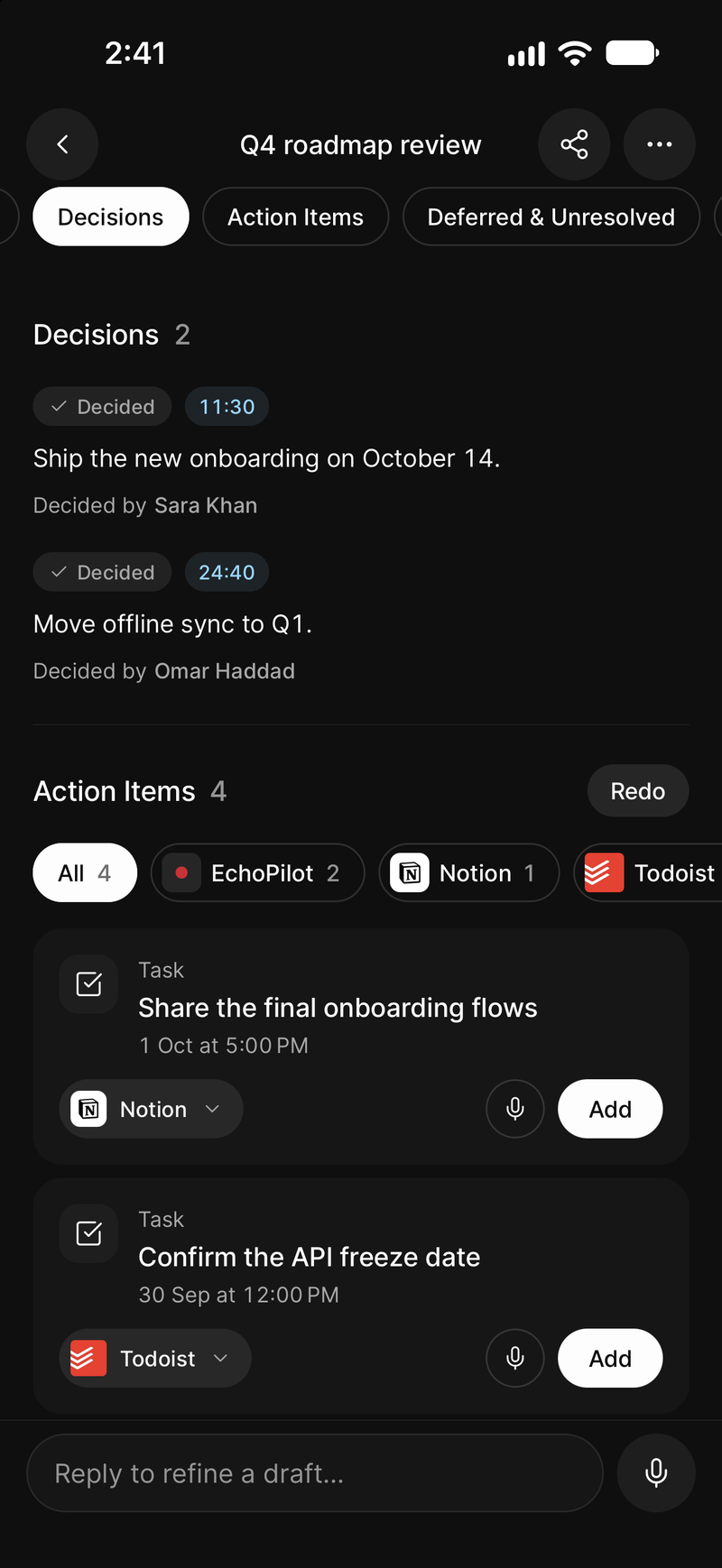
Start a meeting capture and put the phone down. EchoPilot keeps recording in the background, then gives you a summary with the decisions and follow-ups already separated into cards.

Up to four hours
Long enough for a real meeting, not just a voice memo. Recording continues while the app is in the background and the screen is locked.
Safe if it is interrupted
Audio is written to disk in segments as you go. If a call comes in or the app is closed, nothing is lost and you can finish the meeting when you come back.
A summary, not a wall of text
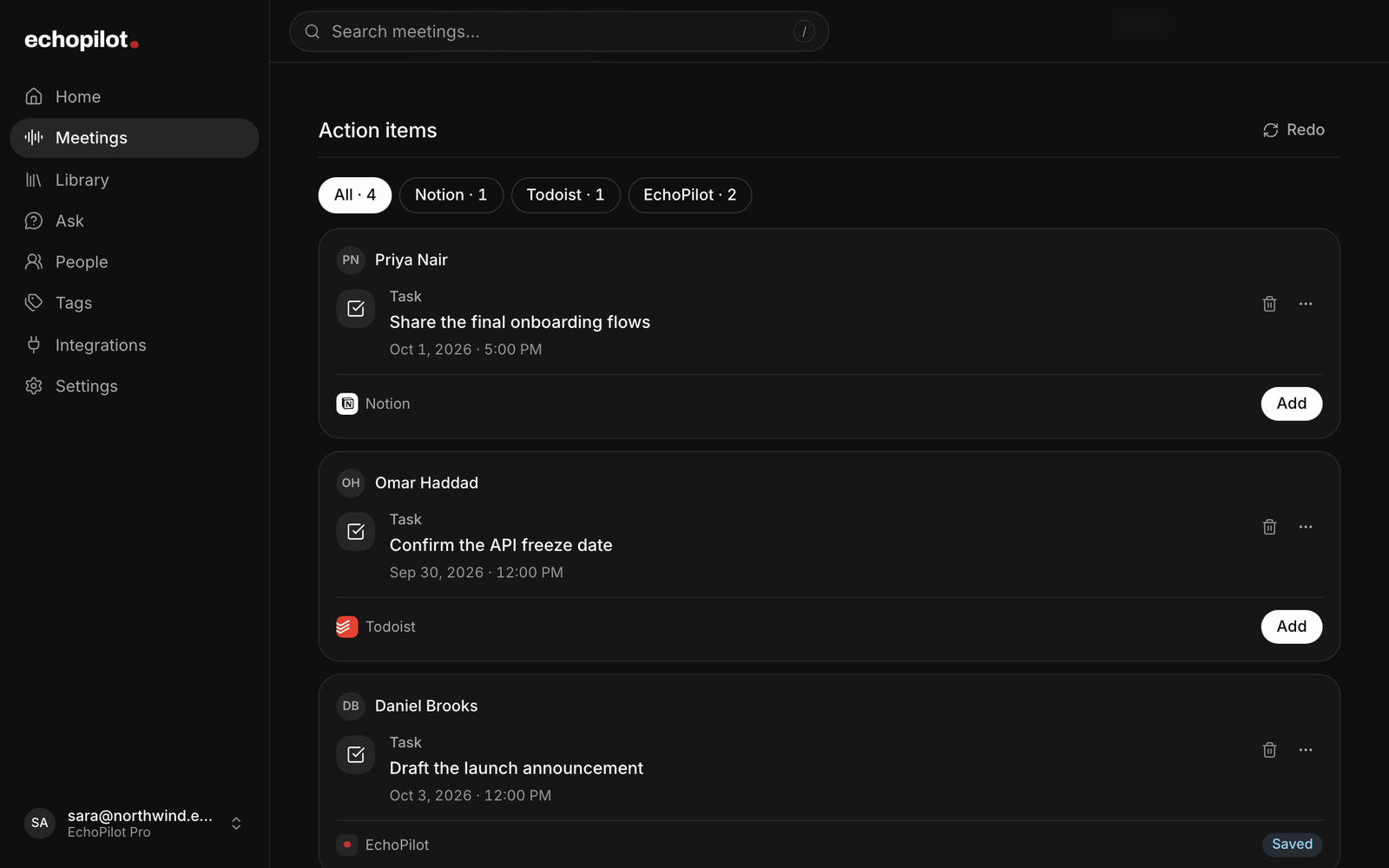
You get the gist plus the action items pulled out as normal cards, so a meeting ends the same way every capture does: with things you can send.
Controls where you need them
Pause and stop from the Lock Screen, the Dynamic Island, or the ongoing notification, with the elapsed time always visible.
Follow-up intelligence

Change it like
a conversation.

The useful part is what happens after transcription. EchoPilot remembers the session, understands which card you mean, and updates the action instead of making you start over.

Scoped replies
Reply to one card by text or voice. EchoPilot updates only that card and confirms.
Context memory
"Move the other one" resolves inside the same session thread, not a new prompt.
Smart clarification
When a thought could be a task, reminder, or note, EchoPilot asks before creating the wrong thing.
Honest external updates
Already-sent items ask for confirmation before changing outside EchoPilot.
Replying to: Follow-up email to Sarah
Make it warmer and mention the Friday deadline.
EchoPilot
Updated the email draft. Kept the same recipient and subject.
Email · draft preview
Thanks for the call, Sarah. Looping back early so we can lock the deck before Friday.
Built-in productivity

Your day,
already organized.

EchoPilot includes its own Tasks, Reminders, and Notes, so it is useful before you connect anything. The Library keeps today, upcoming work, completed items, pinned notes, and reminder history clear.

Tasks

Plan the next step

Add due dates, deadlines, priority, labels, subtasks, locations, and reminder times.

Today · Upcoming · Done
Notes

Keep the useful details

Save notes and checklists, then pin what matters or archive it when the work is done.

All · Pinned · Archived
Apple Watch

Capture from your wrist

Record on Apple Watch and let the normal EchoPilot session create action cards through your iPhone.

Voice · Tasks · Reminders
Beyond capture

It keeps working
after you stop talking.

Capturing is the start. These are the parts that make what you captured come back when it matters.

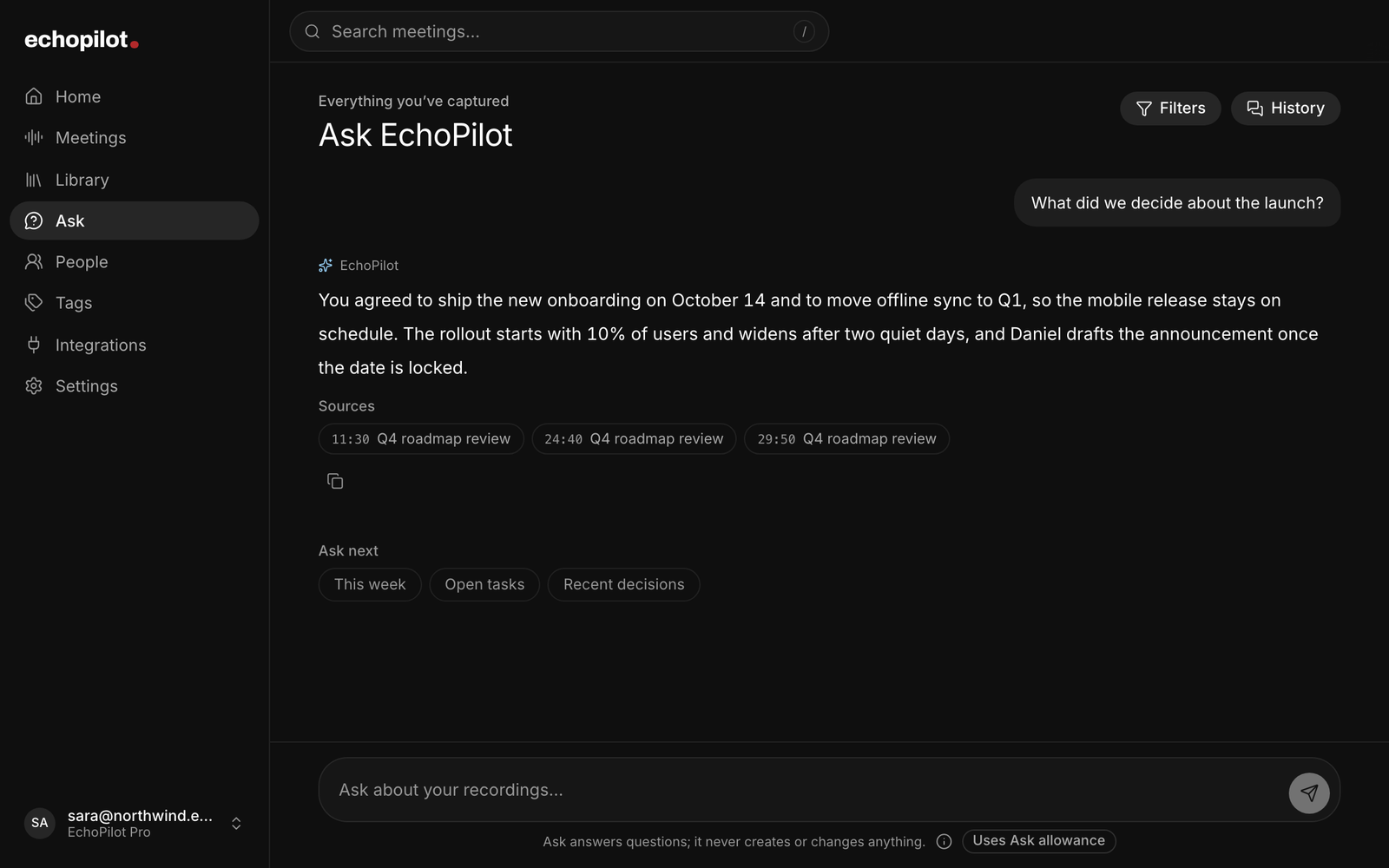
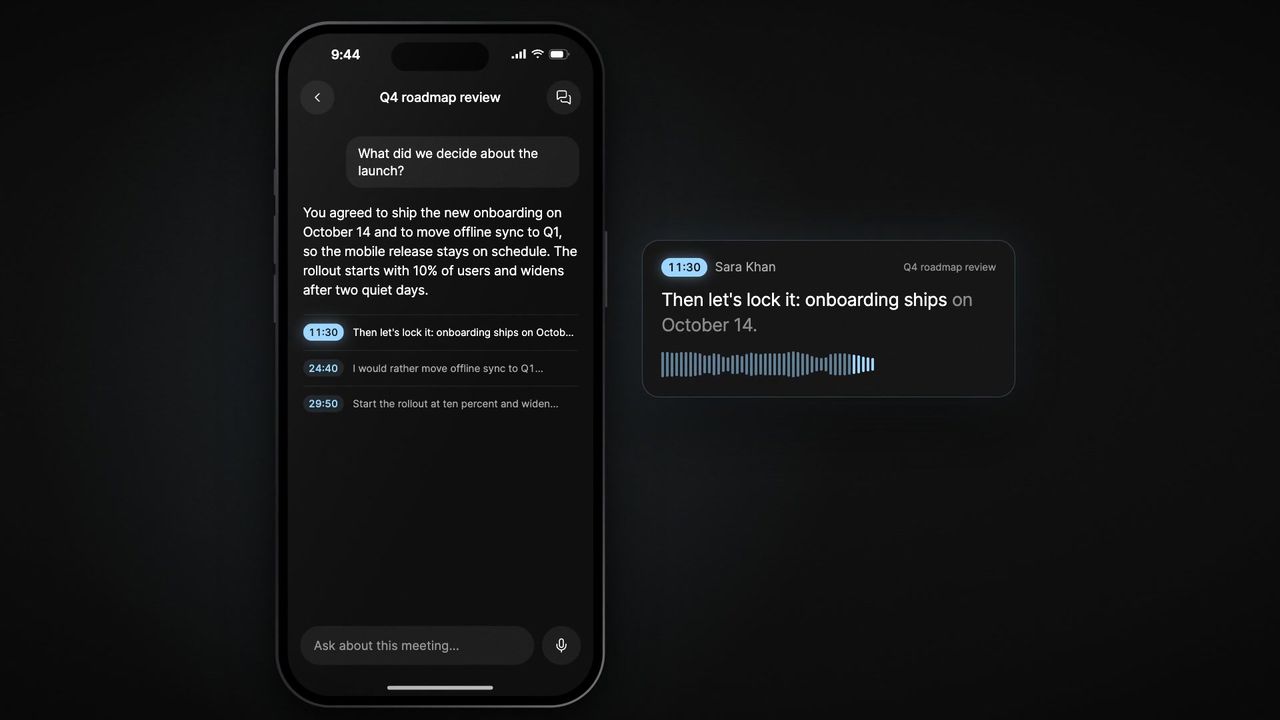
Ask your notes anything

Search by meaning instead of keywords. "When is the dentist?" finds the answer from something you said weeks ago, even if you never used that word.

A brief every morning

One notification with what the day actually holds, leading with anything overdue. Choose the time, skip weekends, or turn it off entirely.

Share what you captured

Turn any note, task, or voice note into a clean image to send someone, or export it as Markdown to keep. Checklists stay checklists.

Widgets on both screens

Home Screen and Lock Screen widgets show what is coming up and start a capture in one tap. You decide whether titles are visible on the Lock Screen.

Start without opening the app

Siri, Spotlight, Shortcuts, or the Action Button. Say it and EchoPilot is already recording before the app is on screen.

On your wrist

Record from Apple Watch even when the phone app is closed, see today's tasks there, and mark them done without reaching for the phone.

Real integrations

Works where
actions live.

Connect what you use, disable what you do not, and keep EchoPilot honest about what can actually be sent today.

EchoPilot Library

Built-in Tasks, Reminders, and Notes.

Todoist

OAuth task routing.

Google Tasks

OAuth task routing.

Apple Reminders

On-device reminders.

Calendar

iOS event routing.

Apple Notes

Share sheet export.

Mail

Native draft composer.

WhatsApp

Prefilled message handoff.

Slack

OAuth channel posts.

Notion

Tasks, reminders, events, and notes.

Google Calendar

Create, update, and remove approved events.

Google Drive

Turn approved notes into Google Docs.

Microsoft

To Do, Outlook, OneNote, OneDrive, and Teams on supported accounts.

Gmail & Google Chat

Coming soon

Moments that matter

Useful when your
hands are already full.

After a meeting
"Follow up with Alex, schedule review for Thursday, and draft a thank-you email."
One recap becomes task, event, and email draft.
When it matters
"Remind me to take my medication at 8 PM."
Alarm-style reminders can stay visible until you Snooze, Dismiss, Open, or Mark done on supported devices.
Believable automation

Powerful.
Never reckless.

Execution assistants need trust. EchoPilot is designed around review, clear status, and opt-in connections.

Review before send

Cards are inspected and approved one by one before external routing.

Opt-in integrations

Connect only the apps you want EchoPilot to use.

Clear action state

Sent, snoozed, dismissed, completed, and missed items are kept distinct.

No ad data model

We do not sell user data or use your content for advertising.

Pricing

Start free.
Upgrade for daily execution.

EchoPilot is live on the App Store and Google Play. Start free with 15 AI captures a month and 3 follow-ups per session, or go Pro for meeting recording, 5-minute notes, and unlimited Ask.

Free
Get started
$0
Capture, parse, and review with no card required.
  • 15 AI voice captures per month
  • 3 AI follow-ups per session
  • 30-second voice notes
  • 5 Ask questions per month
  • Daily brief, widgets, Siri, and sharing
  • All integrations included
  • Manual Tasks, Reminders, and Notes use no AI quota
Pro
Most popular
$4.99/mo
or $39.99/year, save 33%
Meetings, longer recordings, and unlimited Ask.
  • Meeting Minutes recording up to four hours
  • More AI captures, subject to fair use
  • 5-minute voice notes
  • Unlimited Ask, subject to fair use
  • More voice & text AI follow-ups, subject to fair use
  • All integrations included
  • Cancel anytime in the App Store
FAQ

Questions worth
answering.

What is EchoPilot?+
EchoPilot is a voice-first productivity app for iPhone and Android, with an Apple Watch companion. It turns spoken notes and full meetings into reviewable tasks, reminders, events, notes, and email drafts.
How long can a meeting recording be?+
Up to four hours on Pro. Recording continues while the app is in the background and the screen is locked, and the audio is saved to disk as you go, so an interruption does not lose the meeting. When you finish, you get Meeting Minutes plus reviewable action drafts; nothing is sent externally until you confirm it.
What is Ask EchoPilot?+
Search across everything you have captured by meaning rather than exact words, so "when is the dentist?" finds the answer even if you never said "dentist appointment". It is in the Search tab. Free accounts get 5 questions a month; Pro is unlimited, subject to fair use. You can delete the search index at any time under Settings, without deleting your notes.
How is it different from AI chat?+
It does not stop at a response. EchoPilot creates structured cards, lets you refine them in context, and routes approved actions to connected apps.
Does EchoPilot send actions automatically?+
No. You review each action card and tap Add, Share, Open, or Apply before anything is routed externally.
Which apps are supported today?+
Built-in Tasks, Reminders, and Notes; Todoist; Google Tasks, Calendar, and Drive; Slack; Notion; Microsoft To Do, Outlook Calendar and Mail, OneNote, OneDrive, and Teams; Apple Reminders, Calendar, and Notes; WhatsApp handoff; and Mail drafts. Availability varies by platform and account. Gmail and Google Chat are coming soon.
Can I record from Apple Watch?+
Yes. Start a recording from the EchoPilot Watch app even when the iPhone app is not open. The recording transfers or stays safely queued until the iPhone can process it into the same kind of session and action cards as a phone recording.
Can a reminder appear like an alarm?+
Yes, on supported devices when alarm access is enabled. Alarm-style reminders can appear over the lock screen with Snooze, Dismiss, Open, and Mark done actions. When that native alarm path is unavailable, EchoPilot uses a notification fallback.
Can I edit after recording?+
Yes. Reply to the whole session or a specific card by text or voice. EchoPilot updates the relevant card in place when the intent is clear.
Can EchoPilot understand more than English?+
Yes. Voice understanding and follow-ups support multilingual and mixed-language speech, including English, Urdu, Hindi, and Pashto in native or Latin script. EchoPilot keeps action text in the language you used unless you ask it to translate.
How is my data handled?+
Audio is transcribed and analyzed to create your action cards. We do not sell user data or use your content for advertising. See the Privacy Policy.
Available on the App Store and Google Play

Turn the next thought
into finished work.

Download EchoPilot on iPhone or Android today and capture the next thought from your phone, your wrist, or a widget.

Questions? support@echopilotapp.com