Record the interview. Find every answer later.
Record in person on your phone, or on a call from your Mac or PC with nothing joining it. Every word comes back timestamped, every line plays its moment, and every answer across every interview is one question away.
- Timestamped, searchable transcript
- Ask across every interview
- No bot on the interviewee’s call
Every word, with its moment
Each line is timestamped. Tap it and the recording plays from there, so you check the quote against the voice.
Correct it, keep the evidence
Fix a misheard word. The original audio and text stay underneath, and anything built on the old wording is flagged.
Interviewer and interviewee
On supported Pro interviews, speaker turns you name for this interview only. Otherwise the transcript says it is unattributed.
Every interview, one question away
Tag interviews by study, role or story and ask across them. Each answer cites the moment it came from.
What it looks like
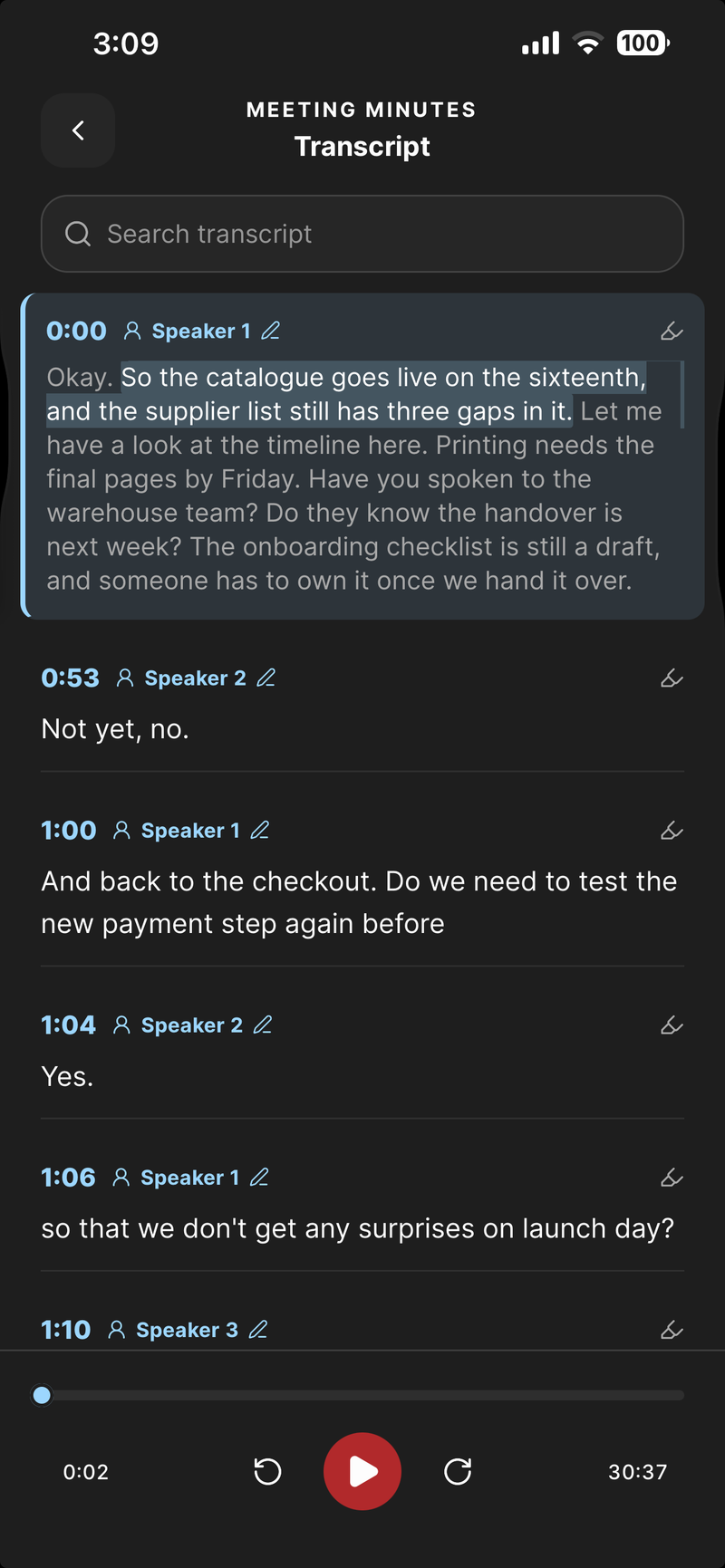
Timestamped turns, with the player underneath
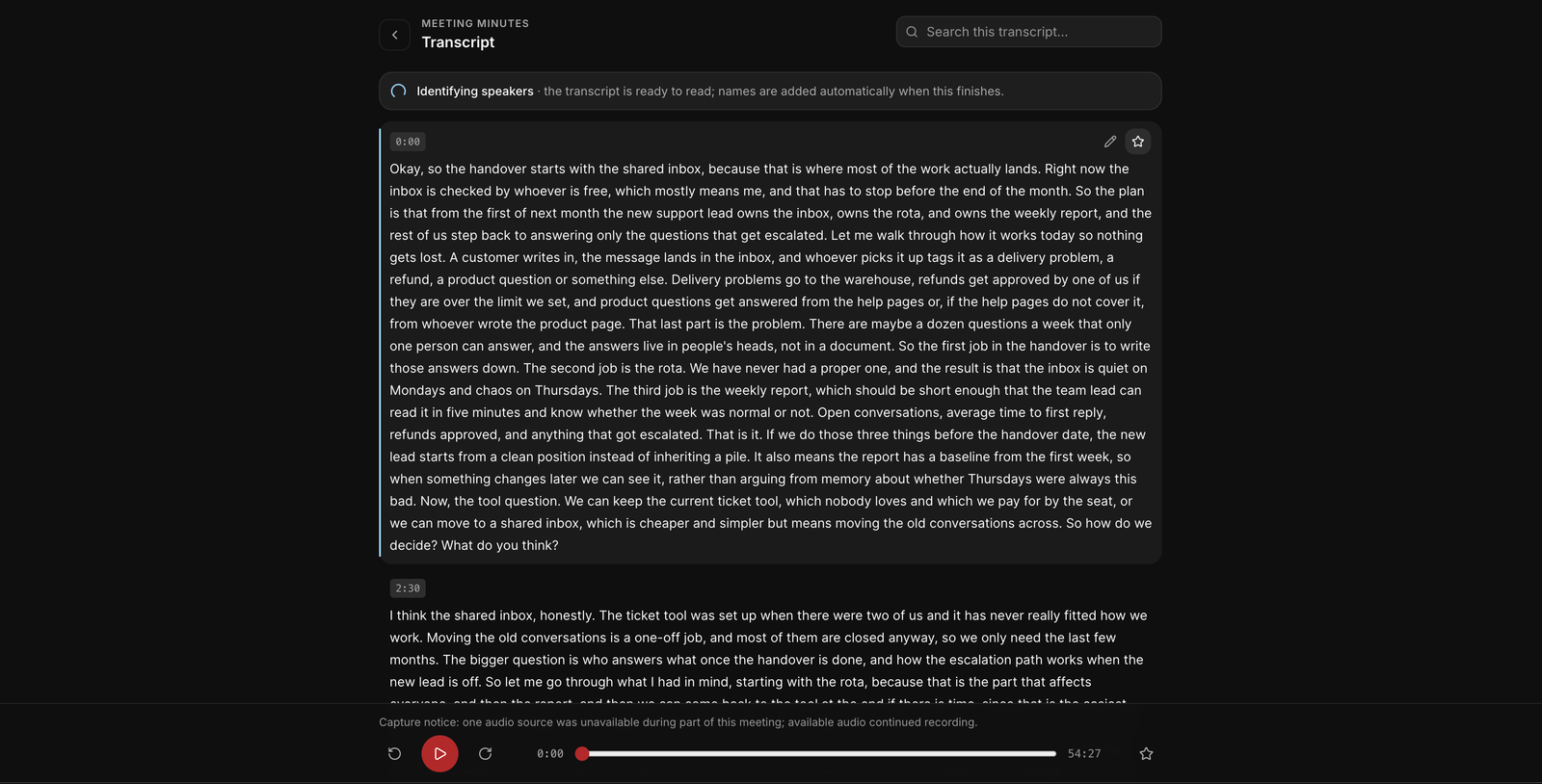
The transcript on the web, with playback from any line
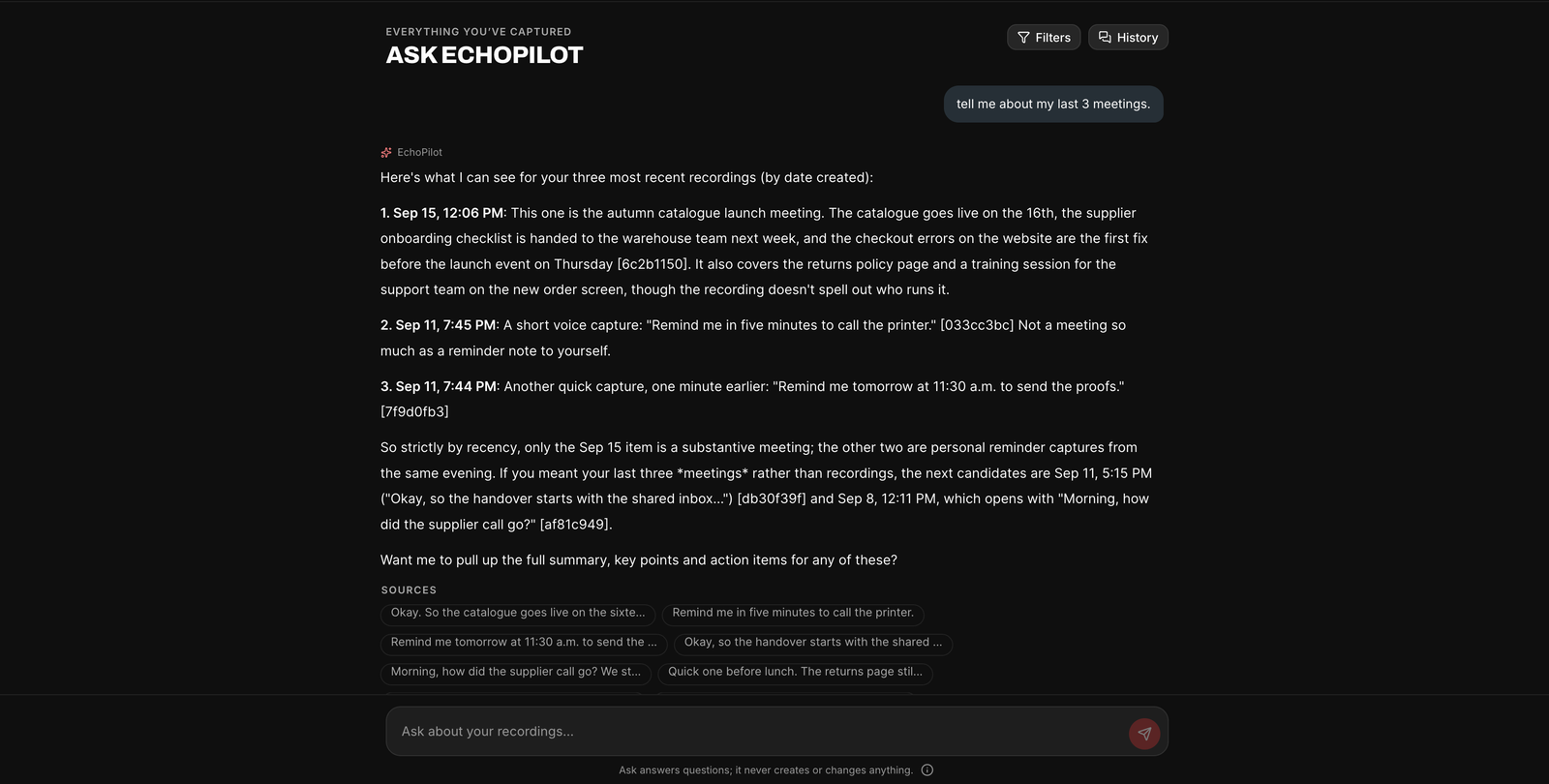
Ask across your recordings, with the sources listed
Interviews, in depth.
An interview is only as useful as your ability to find what was said in it. Notes taken while you listen miss the exact words, and a recording without a transcript means listening to the whole thing again. EchoPilot records the interview, transcribes it with a timestamp on every line, and makes every answer findable later, without a bot joining the call or a laptop sitting between you and the person you are talking to.
In the room or on a call
Across a desk, put the phone on the table and record; the in-person meetings page covers the room in detail. A Pro recording runs up to four hours, in the background, with the screen locked.
For a remote interview, the Mac and Windows apps record your microphone and the audio your computer is playing, so the interviewee is captured at source rather than through a speaker, and nothing joins their call. There is no bot for them to wonder about while they answer.
An interview that moves between languages is transcribed as it was spoken, rather than forced into one.
A transcript you can quote from
Every line of the transcript carries a timestamp, and tapping a line plays the recording from that moment, so you can hear the exact words before you quote them. Search it and you get match counts with next and previous stepping. The follow-along highlight tracks the audio as it plays; it is a reading aid rather than subtitle-grade timing.
If a word was misheard, correct it. The original audio and the original text stay underneath as evidence, and any minutes built from the old wording are marked out of date so you can rebuild them when you choose. Names and terms that come up again and again can go in your custom vocabulary.
Interview notes, written for you
EchoPilot reads what a recording is about, and when it recognises an interview it writes it up as Interview notes: an overview, the key insights the interviewee gave, each question with the answer given, the questions left unanswered, and the follow-ups either side committed to. Answers are paraphrased faithfully and never dressed up as quotations; for the exact words, tap the moment and read the transcript line. Interviewer and interviewee are named only when the recording makes clear who is who.
The result shows which template was used. When EchoPilot is not confident a recording is an interview, it writes standard minutes instead, and on Pro you can switch to Interview notes, preview the new version and only then replace the old one.
Interviewer and interviewee
On supported Pro interviews, ask EchoPilot to identify the speakers and the transcript comes back as timestamped turns. Name them for this interview only, which is the default, so a participant who should stay anonymous is not added to your People list unless you choose to add them. Merge two labels that turned out to be one voice.
When reliable attribution is not available, EchoPilot shows the full transcript without names and says so, rather than guessing who spoke.
Mark the answer while you listen
When an answer matters, press the highlight button on the recording screen, or Highlight in the Mac and Windows recording panel. The moment is marked on the recording’s clock and arrives in the finished minutes as a jump straight to it, so the quote you noticed live is one tap away afterwards.
Every interview, one question away
Tag each interview with the study, the role or the story it belongs to. Then Ask across exactly those interviews, narrowed by tag or date: who described the setup as confusing, what did people say about price, which interviews mentioned the old process. Every answer cites the moments it used, so you play the sentence yourself before you rely on it. Ask is read-only; a question never changes an interview.
Every interview keeps its Meeting Minutes page, with the notes above and the transcript below, for the interview you need to brief someone on in two minutes.
Take the transcript with you
Export asks what you want before it builds anything: the transcript on its own, the summary and notes, or the whole interview, as a typeset PDF, Markdown or plain text, with the speakers and timestamps kept and a preview before you share it.
On Pro, the source audio and full transcript are kept for as long as you keep the interview. On Free they are kept for a limited window, and you are warned 30 days and 7 days before anything expires, with the exact date; the pricing page has the numbers.
Ask before you record
Ask for consent before the interview starts, and ask again once the recording is running, so the agreement is in the transcript with its timestamp. Research ethics boards, employers and the law in many places expect exactly that.
Guides
Questions worth answering.
Can I search a transcript and hear that moment?
Does EchoPilot label who said what?
Does EchoPilot write every recording in the same format?
Can I fix a word the transcript got wrong?
How long do you keep my recordings?
Your next meeting can end with the work already drafted.
Install EchoPilot on the phone or the computer you already work on, record the next conversation you would otherwise try to remember, and read the minutes, the transcript and the drafted actions it gives you back.
Questions? support@echopilotapp.com