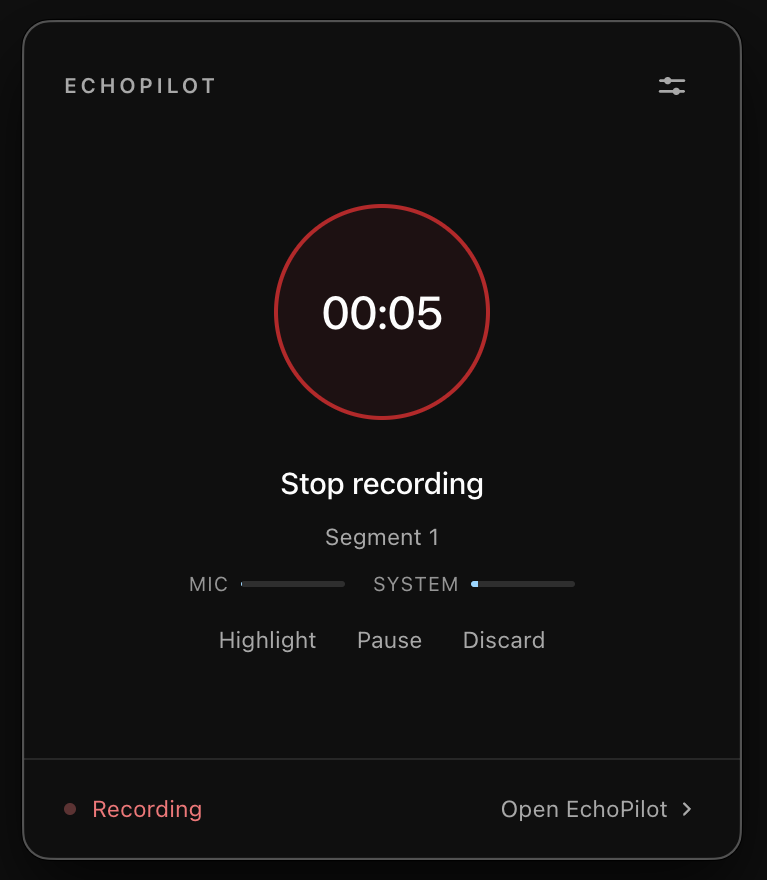
AI meeting notetakers record a meeting in one of two ways. Some send a bot into the call, which joins like a participant and records from there. Others record on your own device, capturing your microphone and the audio your computer plays. That is how the Mac and Windows apps in EchoPilot record meetings without a bot. Both produce a transcript and notes, but they behave very differently in the meeting itself.
How a notetaker bot works
A bot is a participant that the service runs on its own servers. You invite it, usually by connecting your calendar or pasting the meeting link, and at the start of the call it asks to join.
- It is visible. It appears in the participant list, often with a name like “Notetaker”, and some services post a message in the chat.
- It can be refused. A host can deny it entry, and some organisations block notetaker bots outright.
- It only attends meetings it was invited to. A call without a link, a phone call or a meeting in a room is out of reach.
- It does not need you. It can join a meeting you are not attending, which some teams want and others consider a problem.
How no-bot recording works
A no-bot recorder runs on a device that is already in the meeting.
- On a computer, it captures your microphone and the audio your computer is playing, so the other people on the call are recorded at source. Nothing joins the call.
- On a phone, it records the room. The same recorder handles a meeting across a table, a phone call on speaker or a conversation in a corridor.
- It needs you there. It records the meetings you attend, on the device you are using.
What changes in practice
| Notetaker bot | No-bot recording | |
|---|---|---|
| Appears in the participant list | Yes | No |
| Needs an invitation or meeting link | Yes | No |
| Can be refused by the host | Yes | Not applicable |
| Meetings in a room | No | Yes, on a phone |
| Records meetings you do not attend | Often | No |
| Consent still needed | Yes | Yes |
Visibility is not the same as consent
A bot in the participant list tells people the meeting is being recorded, in a way. A no-bot recorder does not announce itself, so saying that you are recording is entirely your job. In many places it is also a legal requirement. Either way, the habit is the same: tell everyone at the start and ask whether they are comfortable with it. The guide to meeting recording consent goes into the rules in more detail.
Which one fits
A bot suits a team that wants every scheduled video call recorded automatically, including meetings nobody from the team attends, and whose participants are used to seeing one.
No-bot recording suits people whose meetings are not all on a calendar: client meetings where an unfamiliar participant would raise questions, in-person meetings, calls taken on a phone, and workplaces that block bots. It also means nothing is recorded unless someone who is present starts it.
Where EchoPilot sits
EchoPilot never sends a bot. The phone app records the room, the Mac and Windows apps record your microphone and the meeting audio from the menu bar or the system tray, and an Apple Watch catches the conversation afterwards. Recording only starts when you confirm it. What comes back is the same from every device, which is the idea behind the AI meeting assistant: minutes with every point tied to the recording, a searchable transcript, answers with citations, and a card for every commitment that waits for your approval.